PROJECT
COMPANY
Wearable Studio
YugaLabs
CONTRIBUTIONS
DETAILS
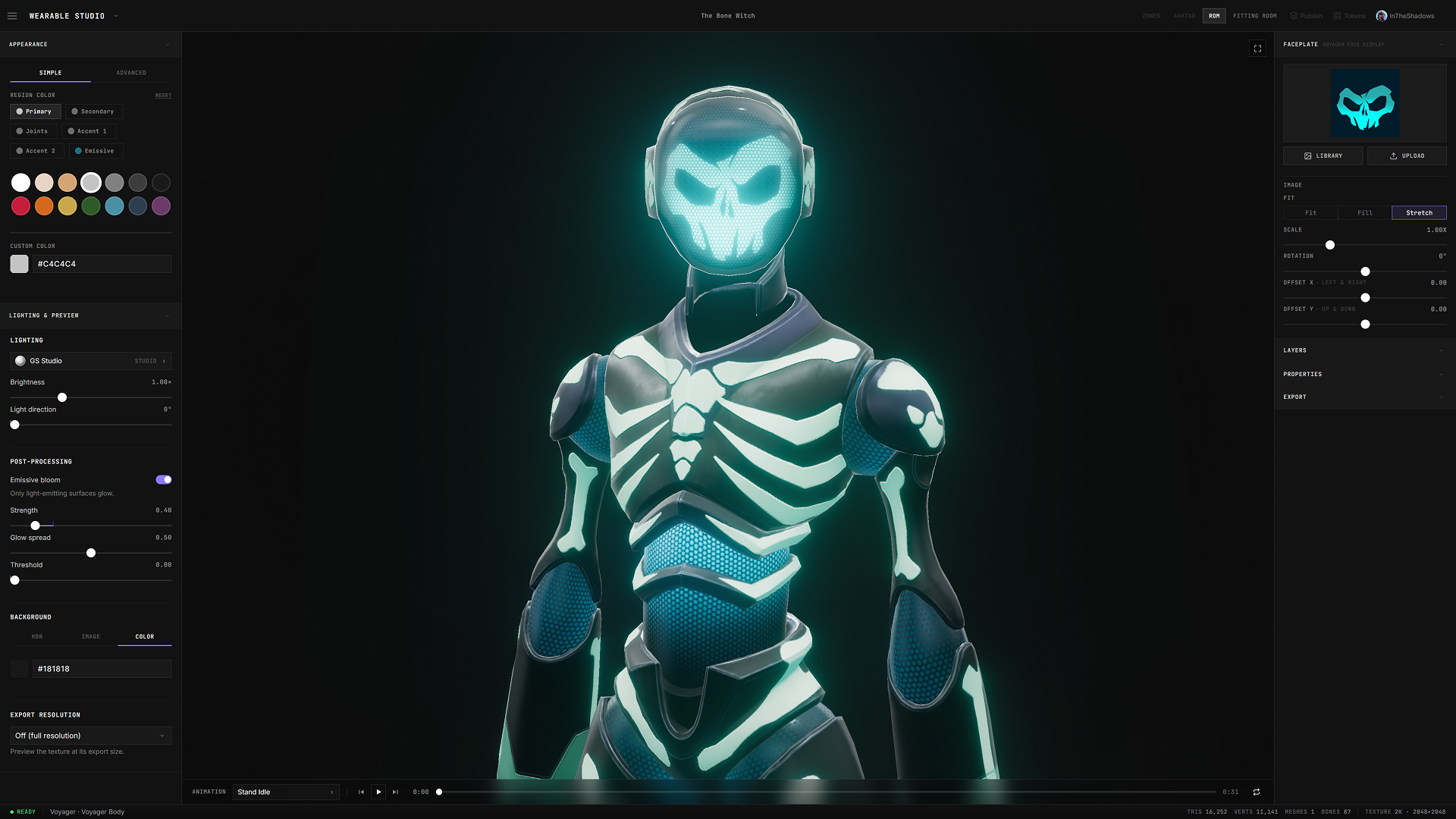
Wearable Studio is Yuga Labs' browser-based platform for designing, minting, and distributing 3D wearables across the Otherside ecosystem. It removes the technical barrier that kept wearable creation locked to a handful of 3D specialists. Blender, UV mapping, texture baking, export pipelines. In their place is a real-time 3D editor wired directly into the systems that get a finished piece reviewed, minted on-chain, and live on a Voyager in-game.
As Design Director and Product Owner, I led the work end to end: setting the product direction, designing the editor and its creation tools, and building the pipeline that connects creation to review, minting, and the live shop Otherside reads from. I own the design language, the interaction model, and the systems architecture, and we run our own drops on the same tools we ship, so every rough edge is ours to feel and fix first.
What began as a 3D configurator is now a full creator platform: a modular-and-bespoke garment system, an occlusion and fit engine, a team review-and-approval layer, on-chain minting, and in-platform storefronts. It's still evolving, expanding past garments into body variants and faceplates, past the internal team toward community creation, and past Voyager toward the wider ecosystem.
About The Bet
Making a wearable for a 3D avatar normally means Blender, UV maps, texture baking, and an export pipeline. Then a chain of handoffs to get it reviewed, minted, listed, and into the game. The craft was never the hard part. The process was.
Wearable Studio collapses that chain into one continuous platform. A blank garment opens in a real browser 3D editor. Region color, true fabric materials, artwork zones, stamps and text, composited live on the actual model, not a flat mockup. An occlusion system makes it fit the Voyager without clipping. Range-of-motion tests prove it holds up in motion, not just a T-pose. A fitting room assembles the full look.
Then the same platform carries it through team review, on-chain minting to ApeChain, and into a live shop Otherside reads directly, without ever leaving the tool. The proof is that we live in it. These are the same tools the team uses for its own drops. What you see is what ships
Design & Features
One continuous system, from blank garment to live wearable.
Every wearable takes one of two paths.
Most take the modular path, built on base garments like tees, hoodies, and joggers, with color, fabric, and artwork layered on top. One silhouette with endless possibilities to build upon. That's how the base library grows. A new design, a different fabric, and a familiar base becomes something nobody else is wearing.
Then there's the bespoke path. When a concept needs its own shape, geometry, and silhouette, it gets built from scratch. Modular gives range and bespoke makes statements. The system carries both.
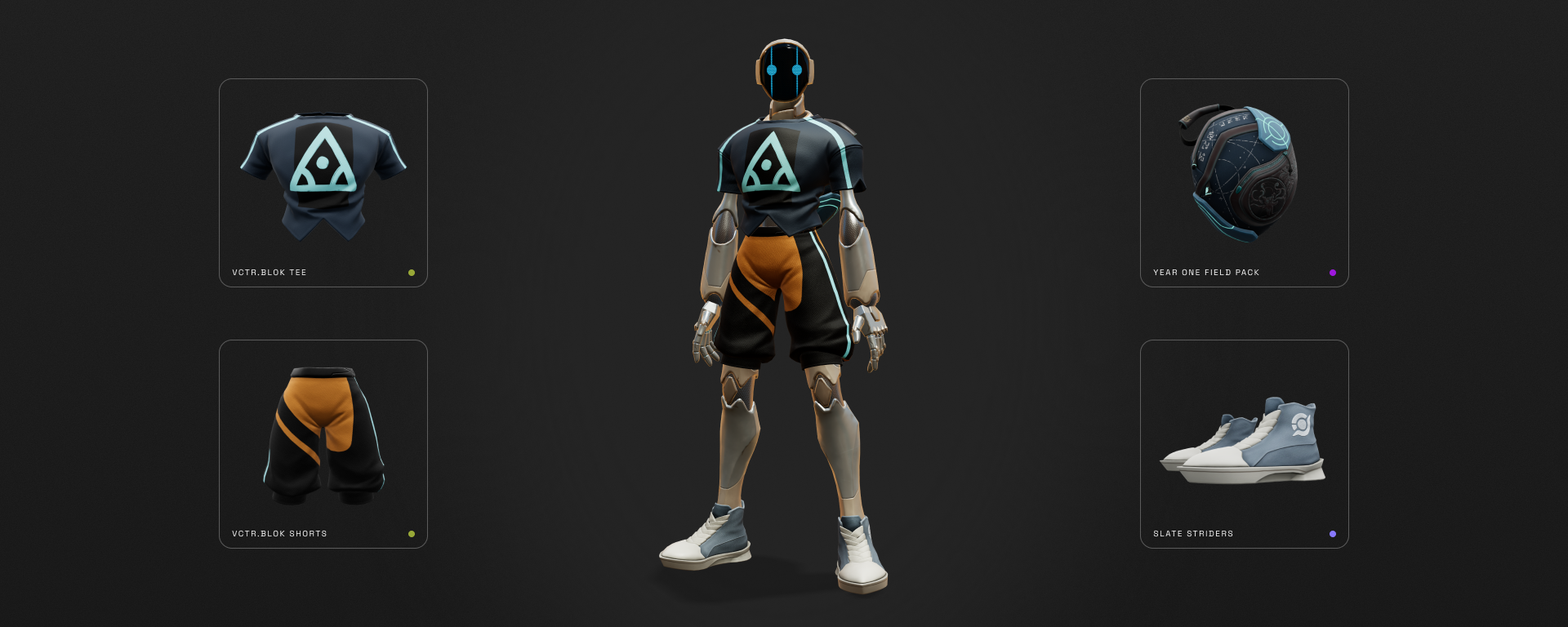
Backpacks and shoes join the modular library for the first time. We're introducing two footwear silhouettes with the Striders and Trailwalkers. And one pack silhouette with the Field Pack. Two new slots, each with a base to build on. We decided to unlock slots in stages with tops and bottoms first, then hats, now feet and back. Each release de-risked the next and we tightened fit and integration as we went.
Two ways to build.
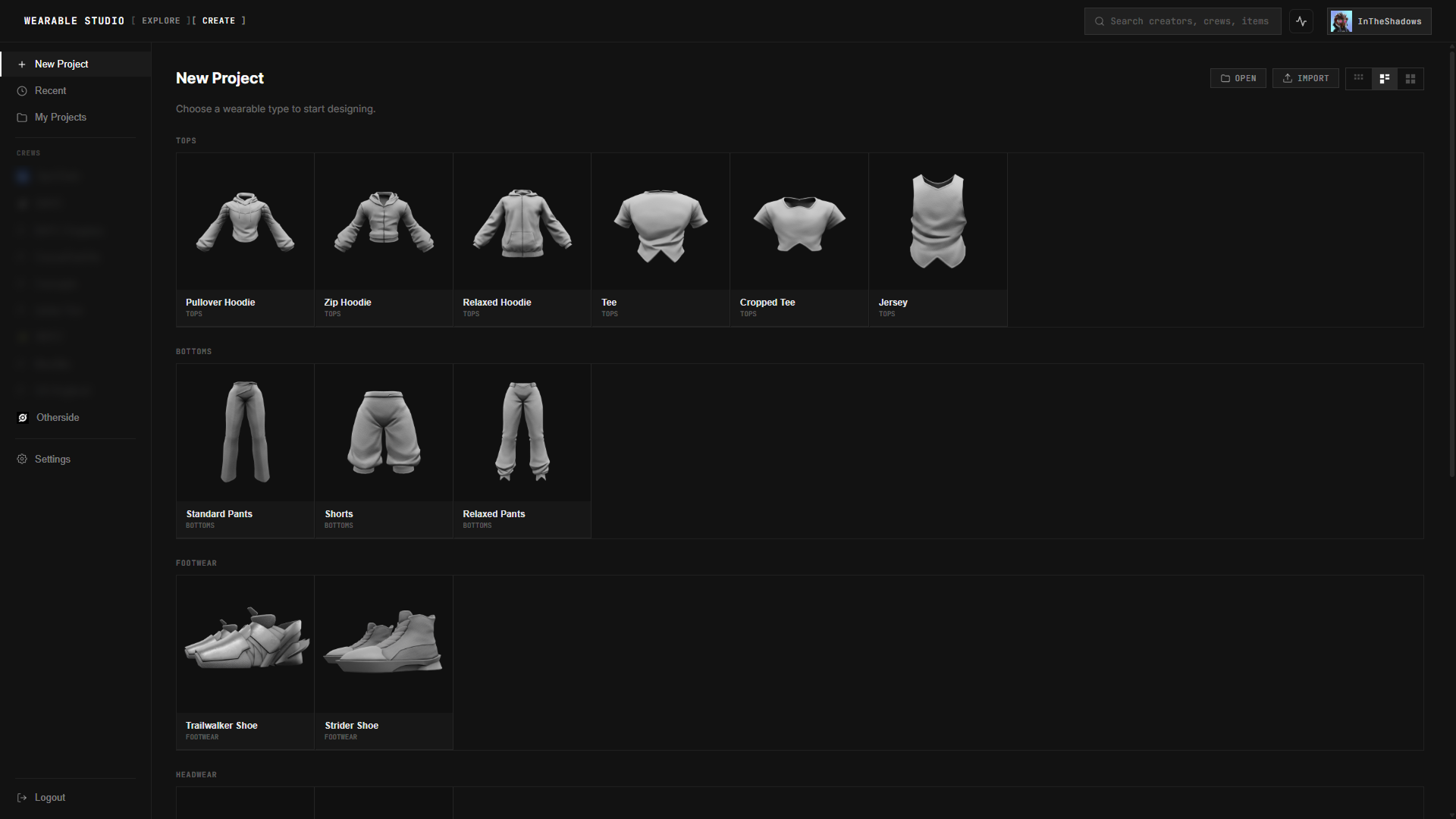
Let's get into the editor. We'll start with a blank from the create panel.
When we load a blank in Wearable Studio, everything happens live on the actual 3D model. Not a flat mockup you hope translates later.
The Editor.
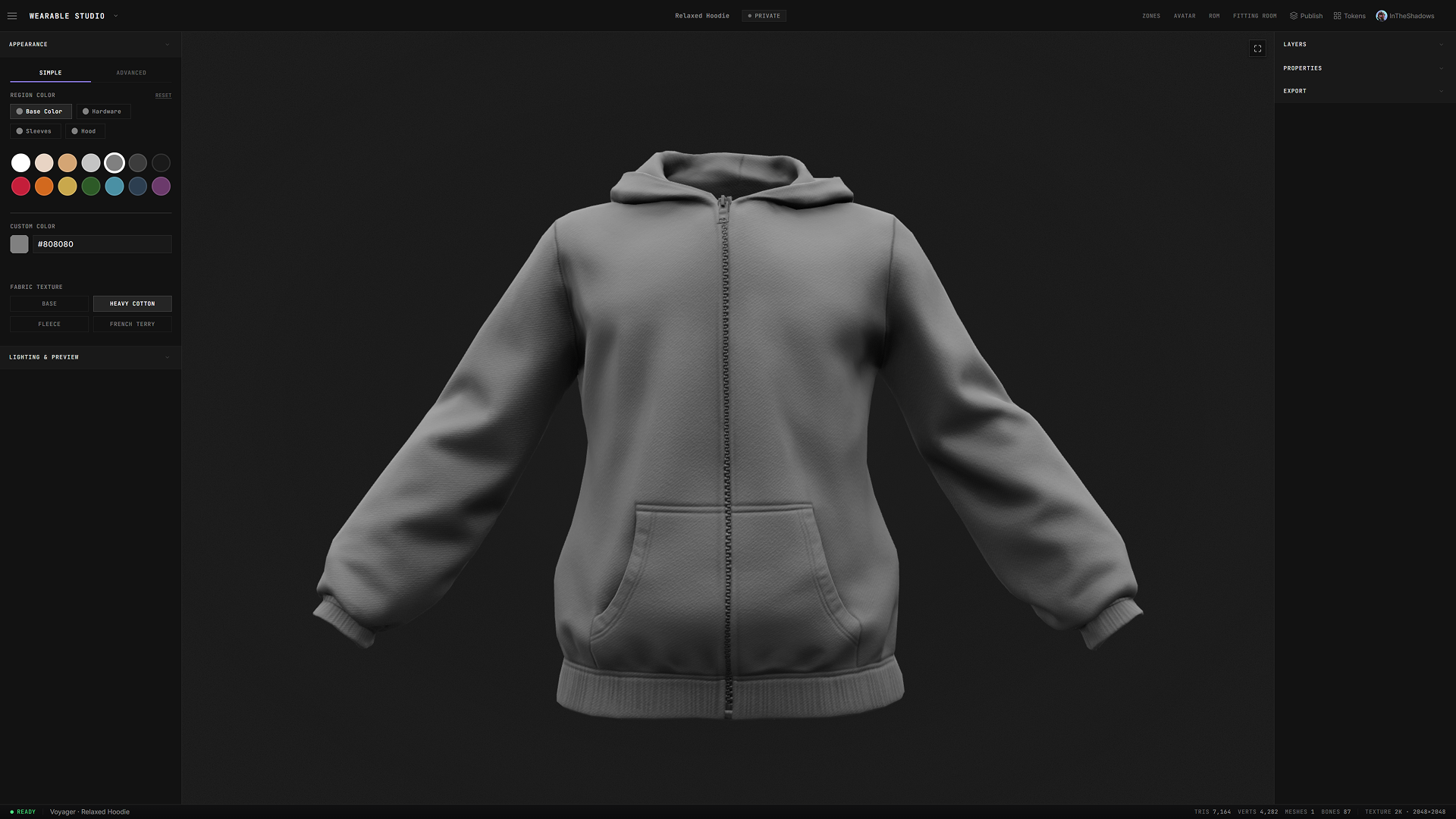
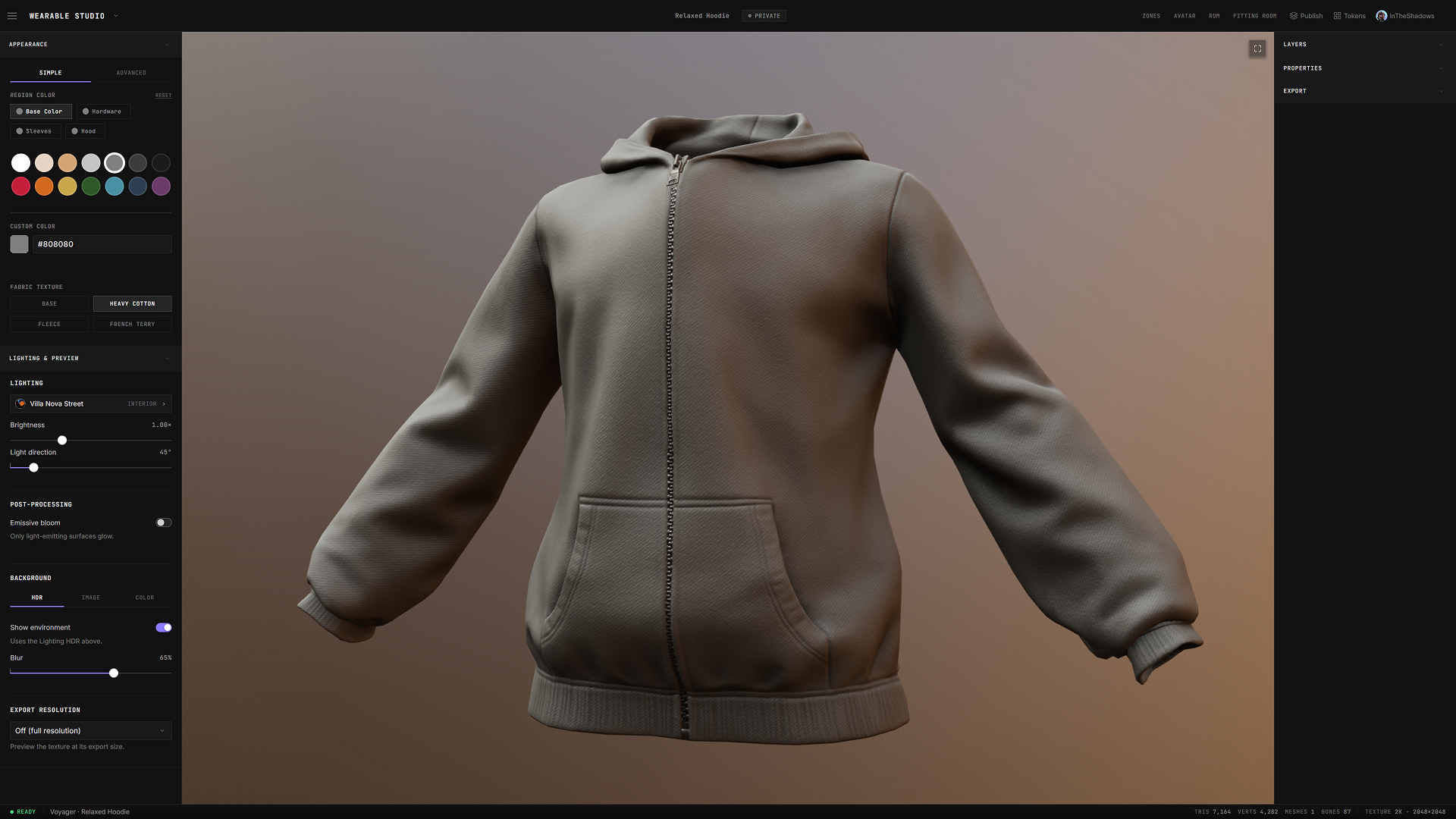
The appearance panel includes two tabs, Simple and Advanced.
Simple exposes region color and fabric texture. Region color lets you easily select base colors split by the garment's regions: body, sleeves, hood, etc. Fabric changes the material itself. Base, Heavy Cotton, Fleece, French Terry. These are not slider tricks. Each one swaps real material maps, so fleece shades and reads like fleece.
The advanced tab lets artists bring full texture sets from tools like Substance Painter and wrap them onto the wearable. It also includes quick links to source files to easily bring into external tools for editing.
Next there's preview & lighting. We include lighting environments, backgrounds, and resolution previews, so you can see how a piece will read in Otherside before it ever leaves the editor, in the kind of light it will actually live in rather than on a gray neutral background.
Customization happens in layers with each one providing additional options to modify depending on its layer type.
Zone layers place imagery and logos into defined regions, with position, scale, rotation, and opacity per placement. When one graphic should own the whole piece, we added a few takeover zones that wrap the entire garment.
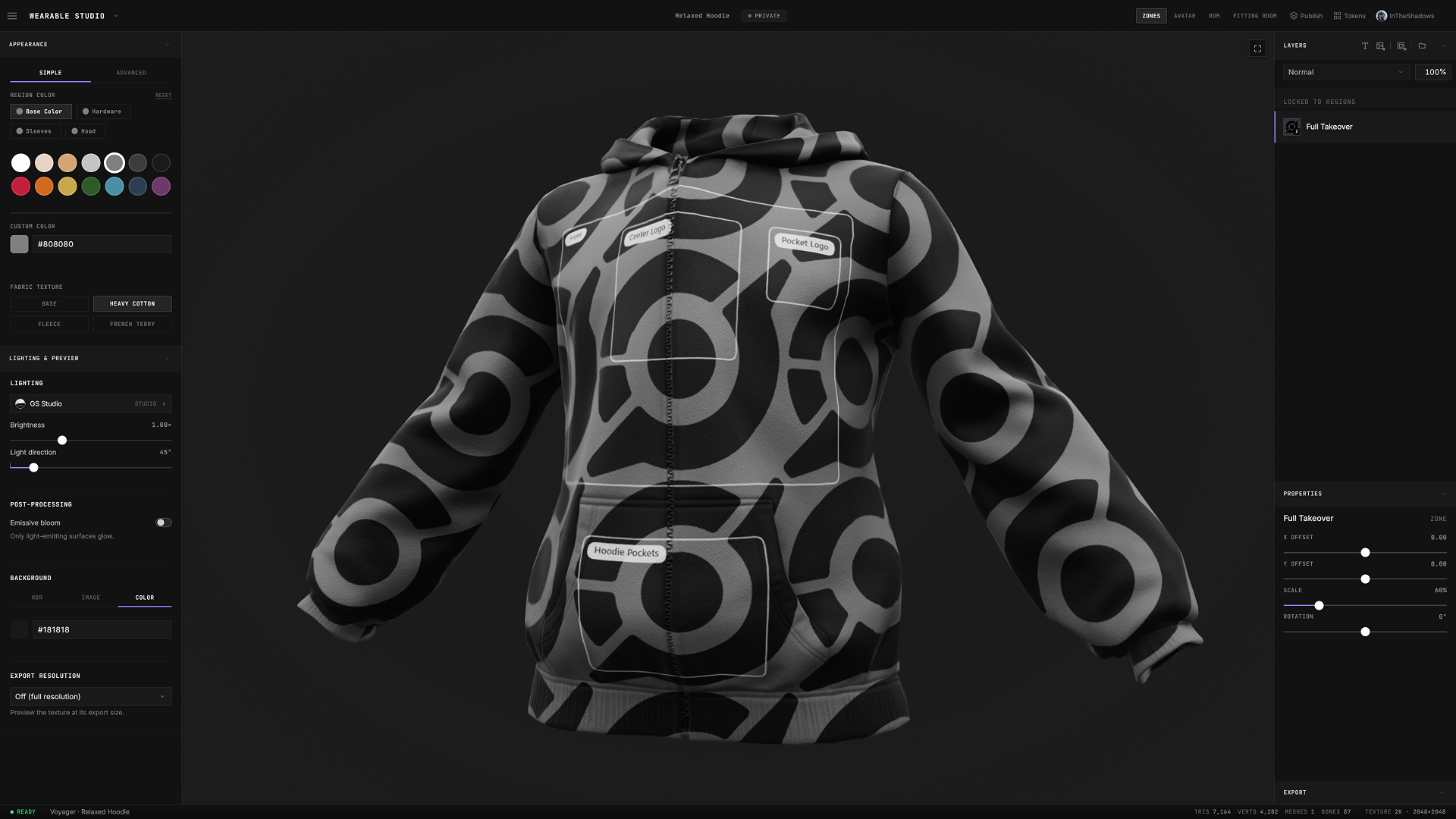
Stamps and text are direct manipulation layers on the wearable. You can place, scale, rotate, stack, and move them directly on the 3D canvas. We included a curated font catalog, plus a Google Fonts picker when the piece calls for something specific.
Behind it all, a compositor blends every layer onto the model in real time and binds artwork to its zone. Nothing bleeds where it shouldn't.
The editor is built like a real tool and includes features we no longer even think about. Things like undo, redo, keyboard shortcuts, and autosave which saves both locally and to the server so your work is safe while you experiment.
Our goal is to ensure that what you see is what ships.
Fit and Motion.
A wearable doesn't replace the body underneath. It layers on top. Without a system in place, the body may poke through the clothing. The classic clipping mess.
So we built an entire occlusion system just for this. Every wearable knows which zones of the Voyager it covers, and hides exactly those zones. Put on a hoodie and the torso and arms beneath it disappear. The hands and neck stay.
That took an authoring pipeline of its own: a way to map, paint, and verify coverage on every wearable before it ships. It's written to a bitmask number that is included as an attribute with each wearable and read by Otherside to perform the proper occlusion calculations. But I'll spare you the technicalities of it all. The point is that it's completely invisible when it works.
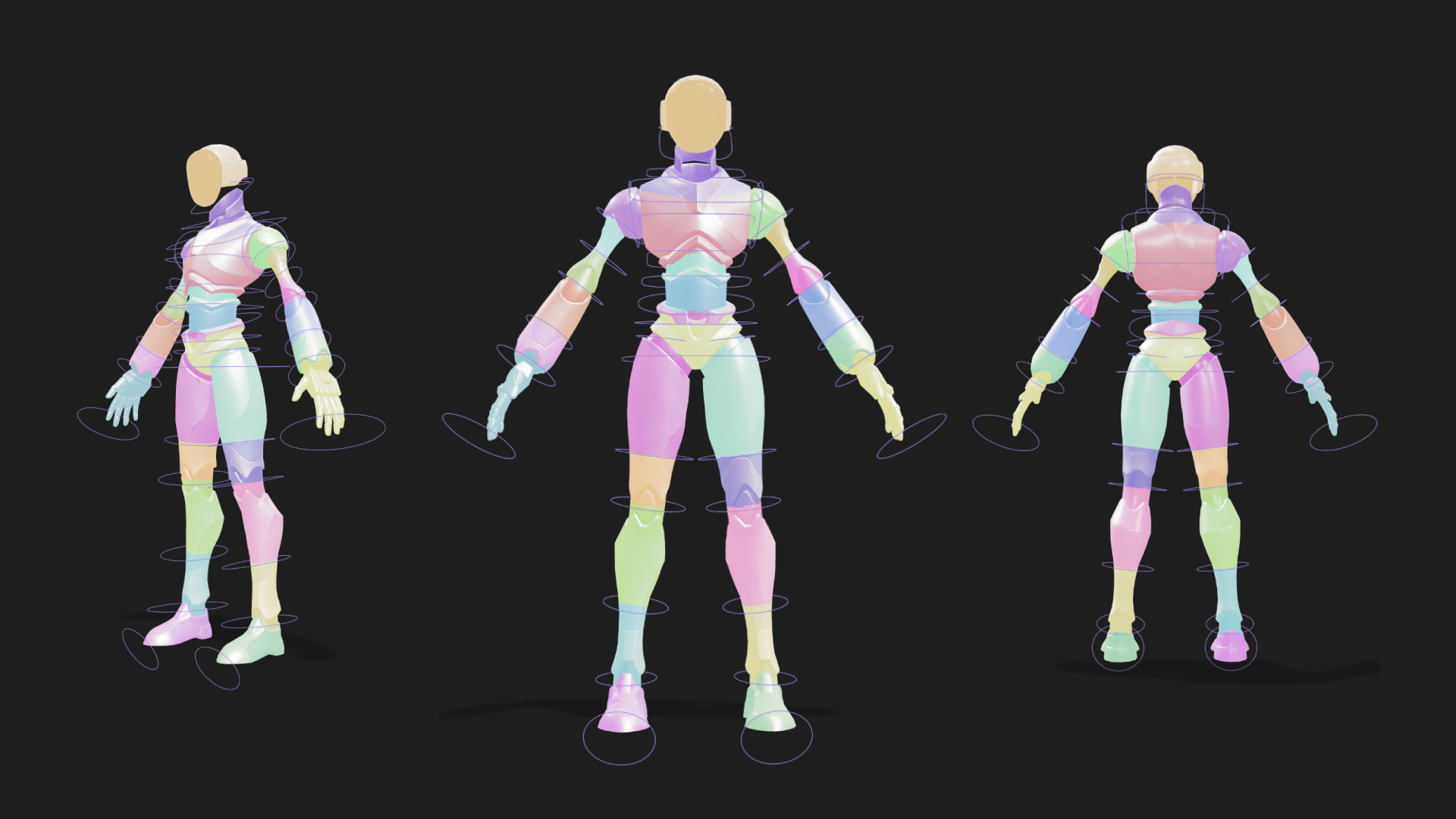
Then we test it in motion. We have range-of-motion animations that play through more than twenty poses and emotes for each wearable, the same ones it will see in-game. It has to hold up in motion, not just in a T or A pose.
The fitting room brings it together. A slot for each wearable type we support lets you assemble a full look from saved designs or published wearables. We can view the outfit on the Voyager in full 3D, static or in motion, and through camera presets for the angles that matter. Complete outfits can be saved as Fits you can reload anytime while sets are being created and tested against each other until a full fit feels right.
None of this happens alone.
Crews have their own drive-like directories inside the Studio, which include shared folders, shared projects, and multiple artists and producers working on the same drop from the same place.
Looks are made to be shared and with that in mind we try to make it easy to quickly share models and designs across the team in a format that best works for the intended purpose. You can export models as GLB. Thumbnails render clean with transparent backgrounds. Any wearable can spin out as a 36-frame 360 gif, one at a time or as a batch, so a design can make the rounds before it's minted, gathering eyes and opinions while there's still time to act on them.
Built for teams.
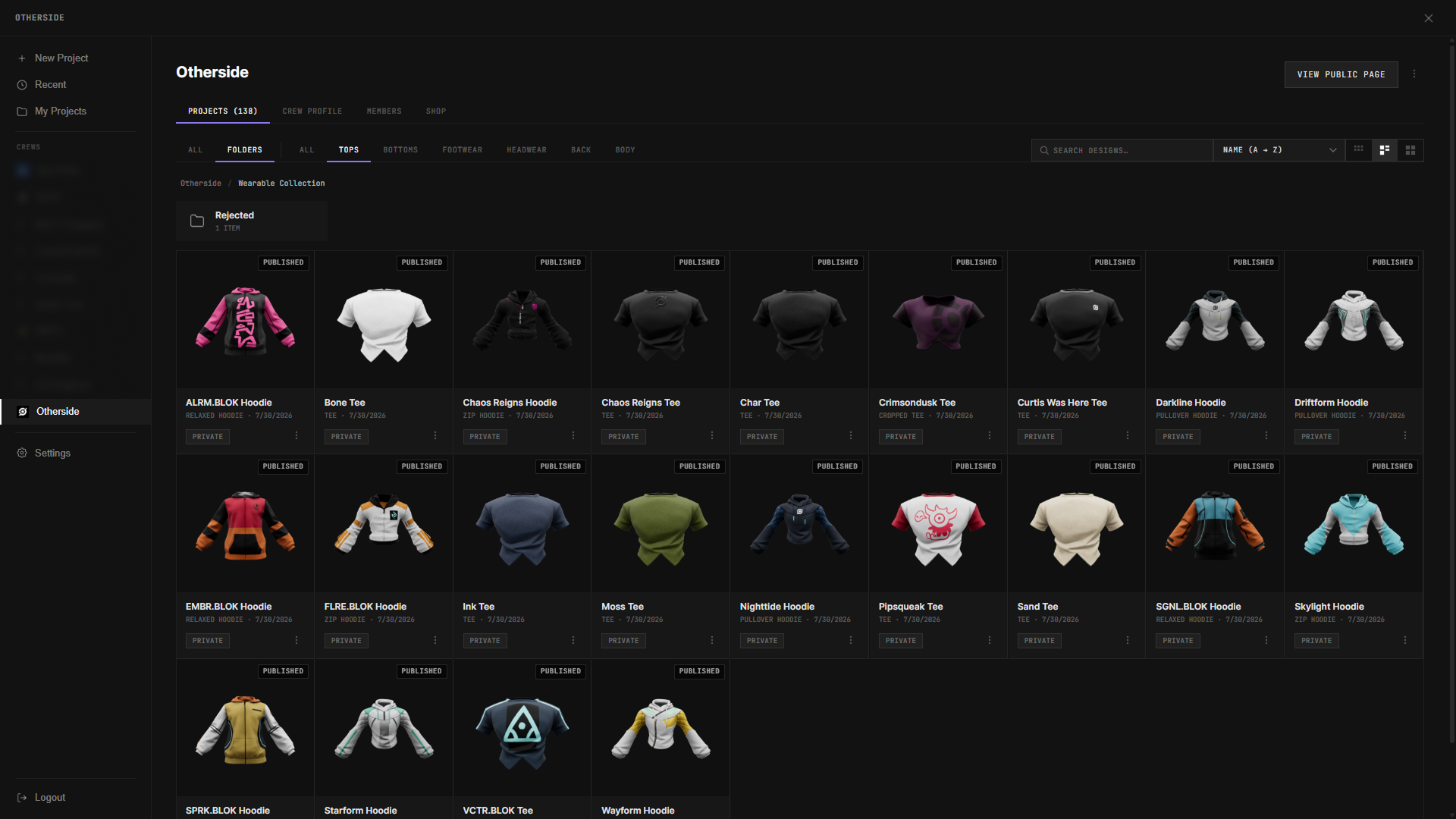
A finished asset isn't the same as an approved one.
Every wearable goes into an in-app review section. That section is the source of truth for the release. Not a spreadsheet on the side or a folder of exports. It's the central source where the item is inspected, decided on, and signed off.
Everyone involved works in the same view. Artists, producers, and anyone with a stake in the drop. They inspect the wearable live, in 3D, in the browser, and add all the release details against it. Naming, description, slot, and all the attributes associated with that item and the information that decides where and how it ships.
Nothing captured here is re-keyed later. It carries forward when it's time to mint.
Review and approval.
Approved wearables publish on-chain to ApeChain from inside the Wearable Studio.
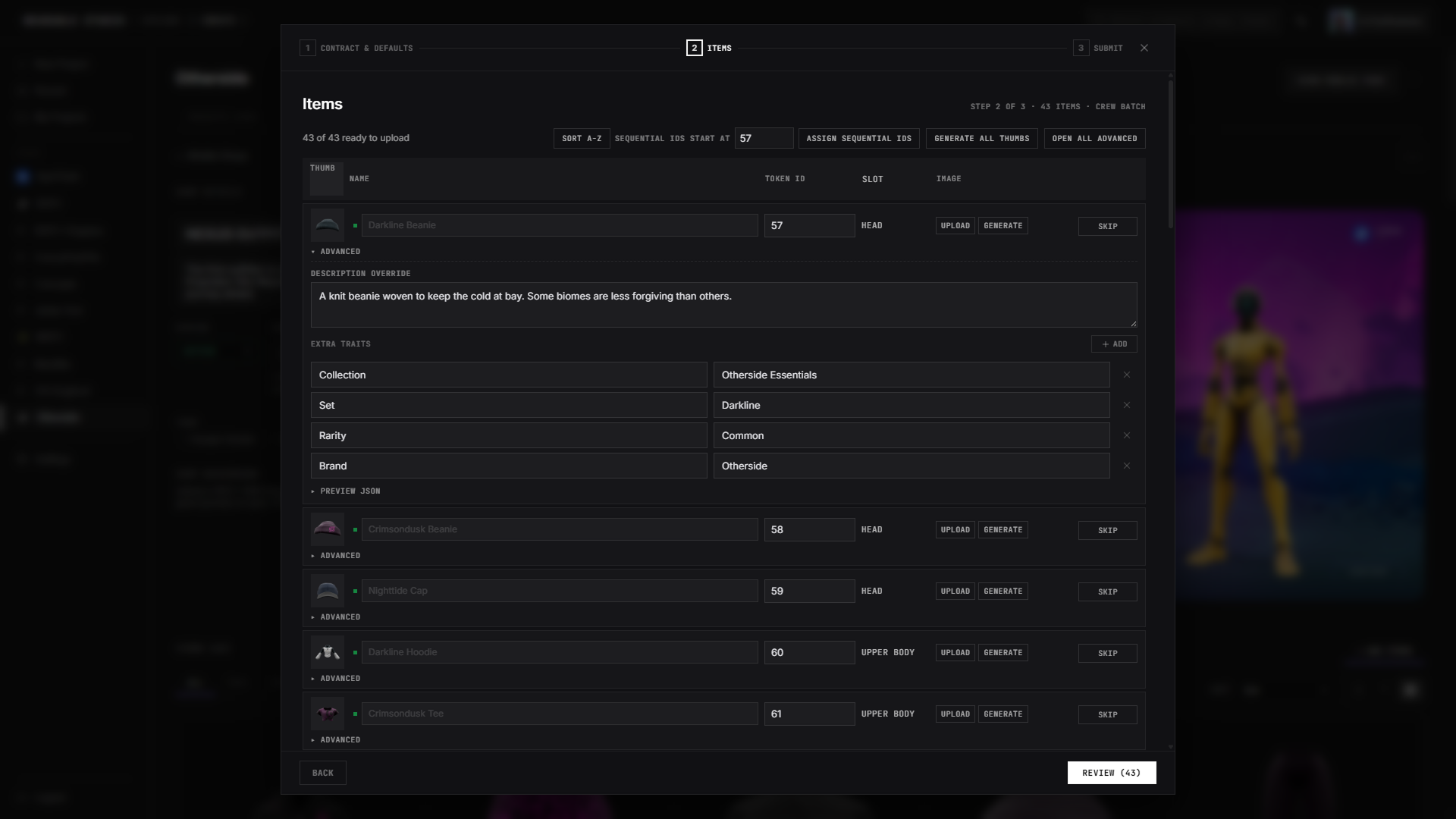
A full approved set mints together, details carried over from review and the whole batch pushed through as one job.
Artists still make art wherever they make art. Graphics start in the tools artists already love, then come into the Studio to become wearables. What the Studio removes is everything after. Once designs are in, a small team can carry an entire drop through review, approval, and on-chain publishing without stopping to do the blockchain part by hand.
Minting at scale.
Minted wearables need somewhere to live.
The storefront is also built within Wearable Studio. Each team has its own crew directory that allows it to create and assemble shops from the items within that crew. Everything from listings, prices, currency, and quantities to the shop name and description. Each item is staged with the token identity it carries on-chain. When the storefront is ready, we switch it to active, which creates an API link that Otherside reads directly and uses to populate the shop overlay. The goal is to allow teams to stage, test, rotate, and sort their shops from one location that outputs everything Otherside needs without a complicated, drawn-out process. Another extension of what you see is what ships. This is how a wearable minted in the morning is purchasable in-game that day.
The shop.
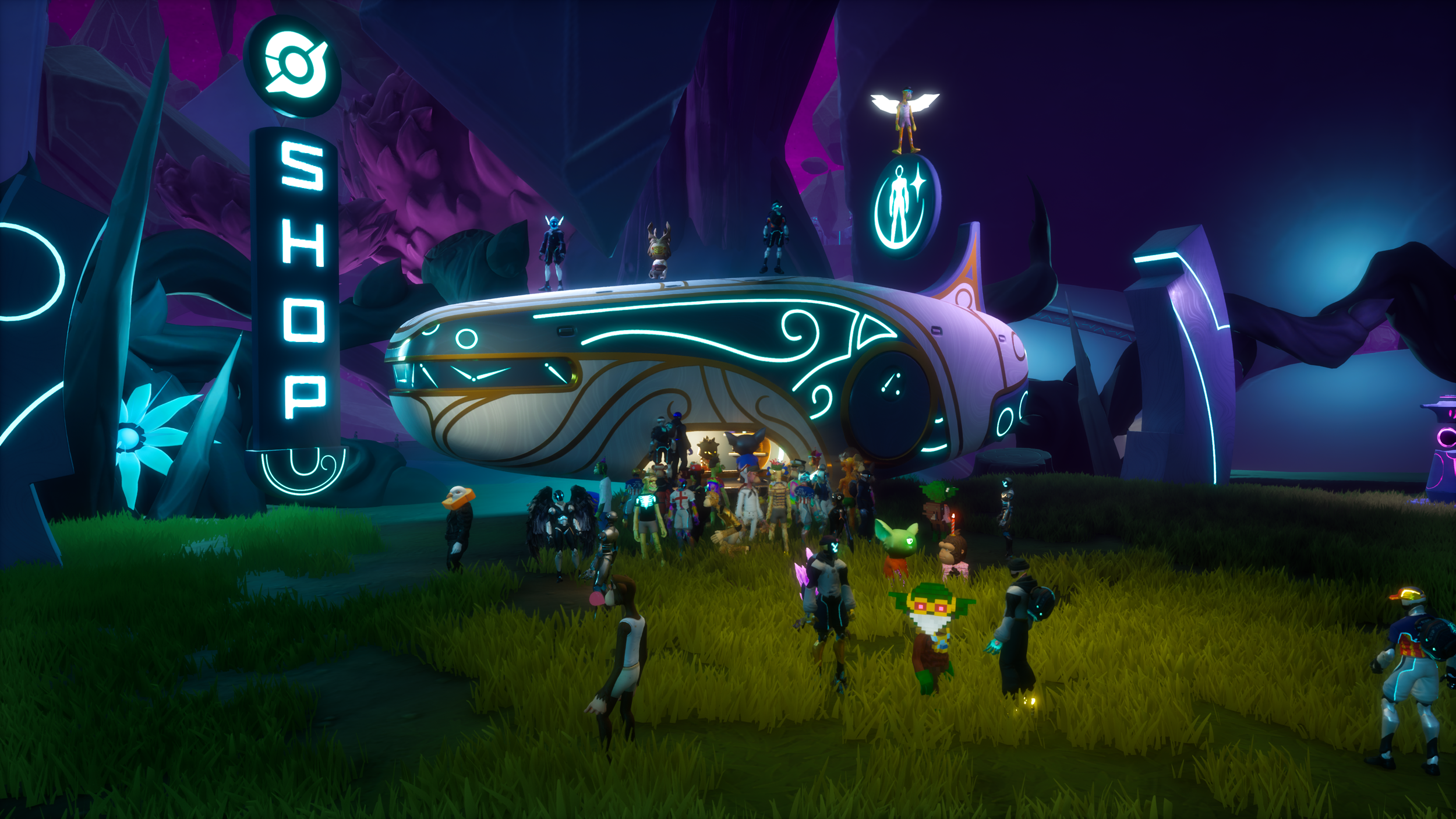
This part has a lot of moving pieces: listings, tokens, supply, the bridge into the game. Getting them to line up has been some of the hardest work in the pipeline, and we're still working through it. The bridge works, and now we iterate to make it smoother.
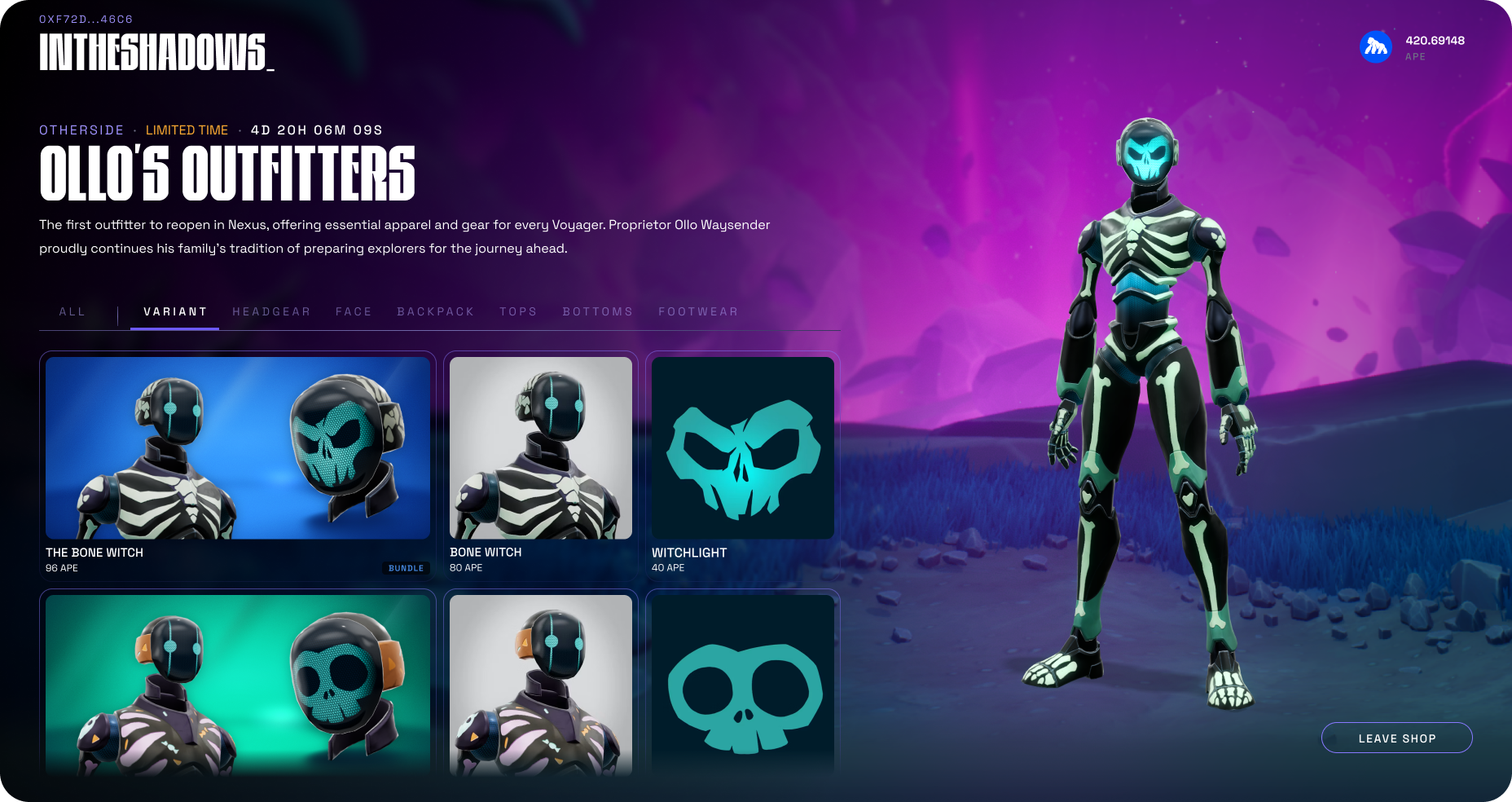
And then, the items are there. In the shop, on the pitch, and on other players. They're not sitting on the sidelines as a cosmetic. They become part of the experience itself.
Live in Otherside.
All this work didn't just affect the studio. Building all of this reshaped the avatar overlay screen and how you show up with your Voyager in Otherside. I'm sure you all noticed updates trickling down. We revamped the overlay customization screen and the way each slot is shown and lit. The flow around trying things on. Better lighting scenes. New avatar slots in the customization tab. That's this work, arriving piece by piece. The tools and the experience keep pushing on each other, and every improvement on one side brings something new to the other.
Conclusion:
ForwARD cLOSE
None of these steps is the point on its own.
The point is that the whole thing can run as one continuous flow. A wearable can go from concept to creation, through review and approval, get minted, land on a storefront, and show up live in the game without ever leaving the platform.
Creativity was never the bottleneck. The process was.
We built this by living in it. These are the same tools we use for our own drops, so every pain point is ours before it's anyone else's. If review feels clunky, a step drags, or a detail gets lost between creation and mint, we feel it and we compress it. Each wearable removes friction from the next one.
It's still early and some edges are rough. Some steps take longer than they should. But the foundation works, end to end, and every iteration makes it better.
There's a bigger goal behind all of it, too. Today these tools power our team, building for Voyager and beyond. Eventually we want them in your hands, with community creation brought into Otherside in a way that feels right. Getting there takes a good amount of work and that's what this year has been. We've been laying the foundation, piece by piece, so when these tools extend beyond our team, they'll be ready to power the future of wearables.