ARC TV
A TV home screen shaped around the people in the room.
What it proves. A TV gets calmer and more useful when the home screen stops selling and starts serving the house. I set the creative direction in Figma frames and notes: the layout, the type, the imagery, the artists and every feature, including Kids mode and Bedtime. Hermes built it on the real TVs and measured each build.
- Status
- In daily use
- Duration
- 6 days
- Iterations
- 36 builds
- Hardware
- Google TV Streamer + Chromecasts
- Method
- I design, agent builds
- Platform
- Android launcher, no root
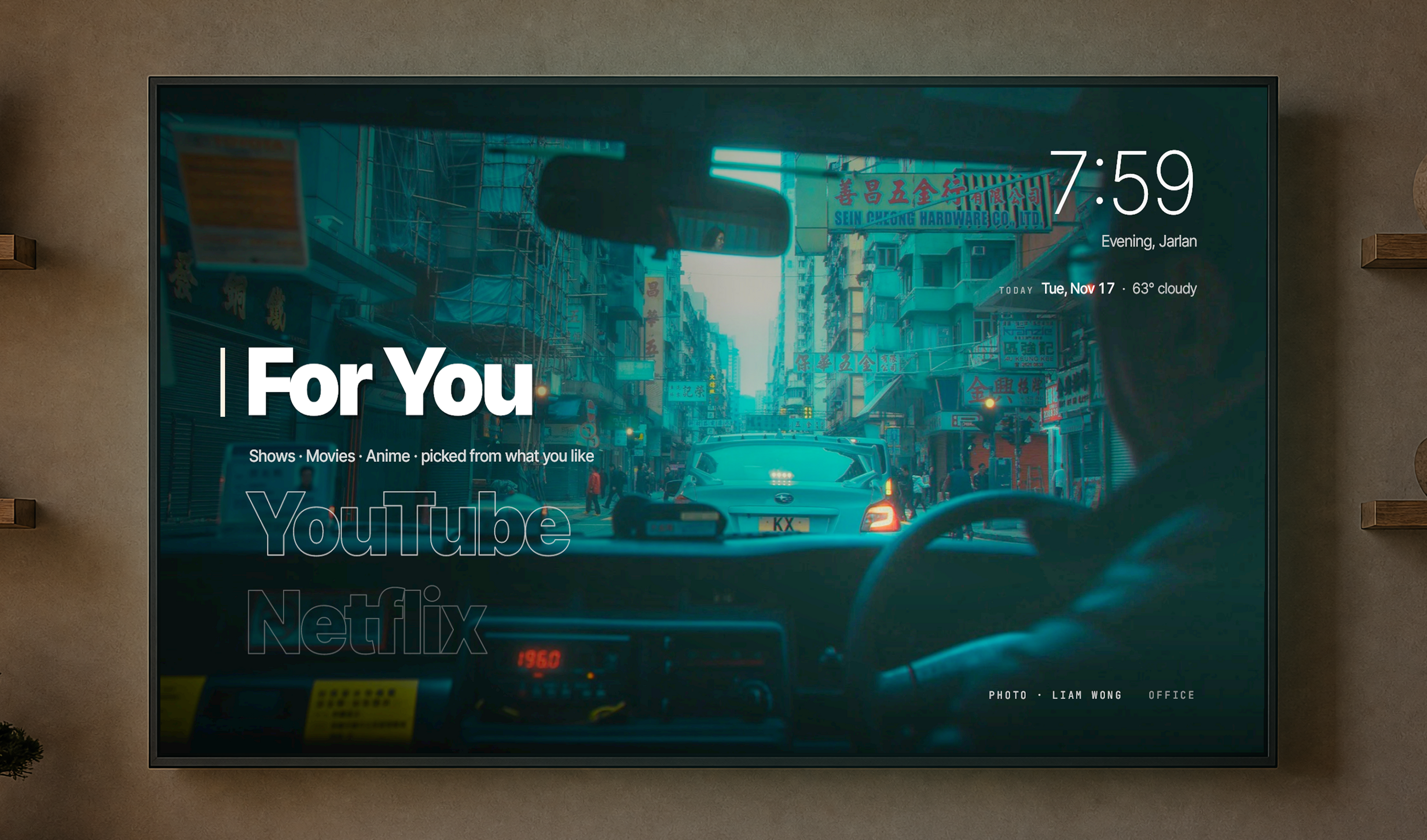
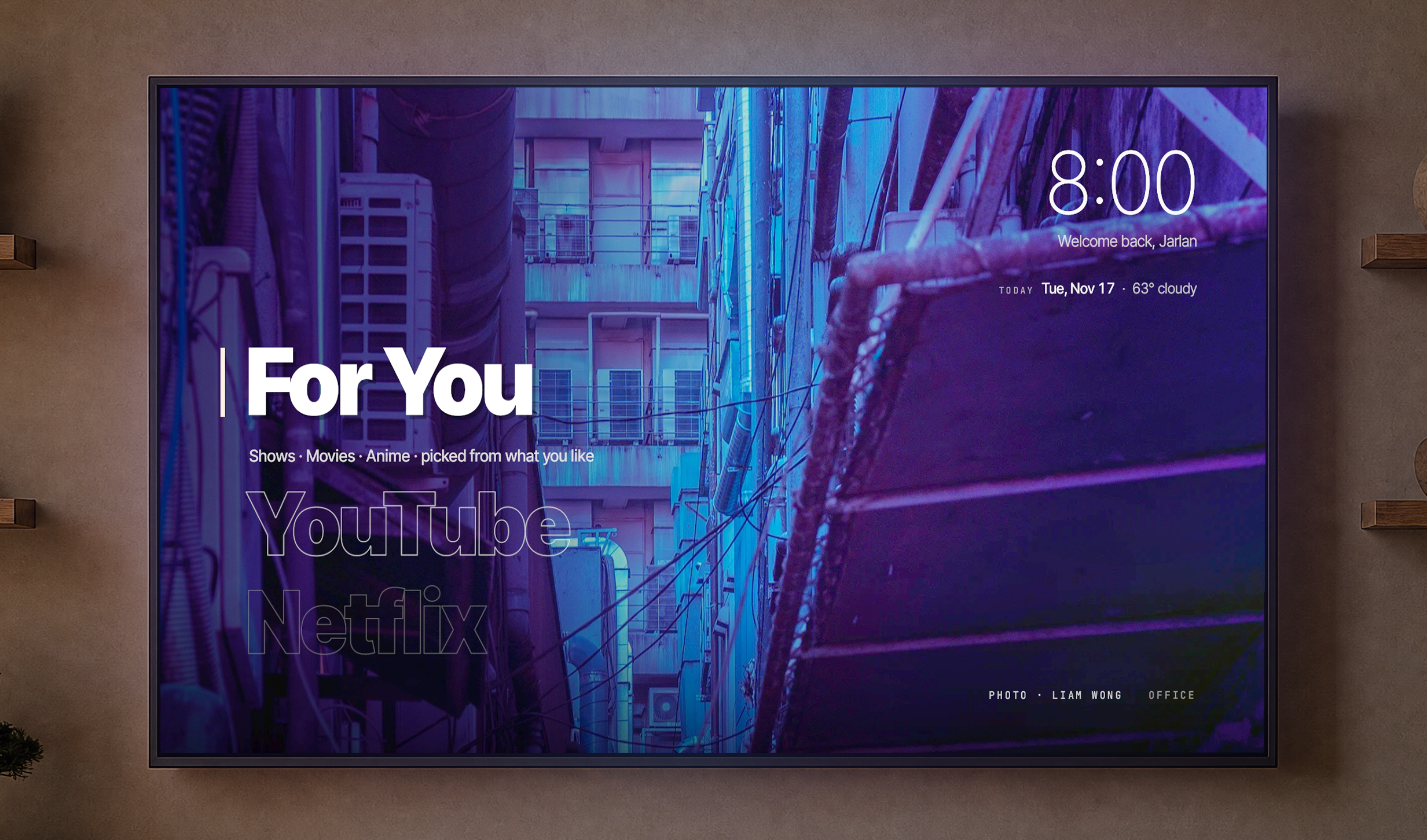
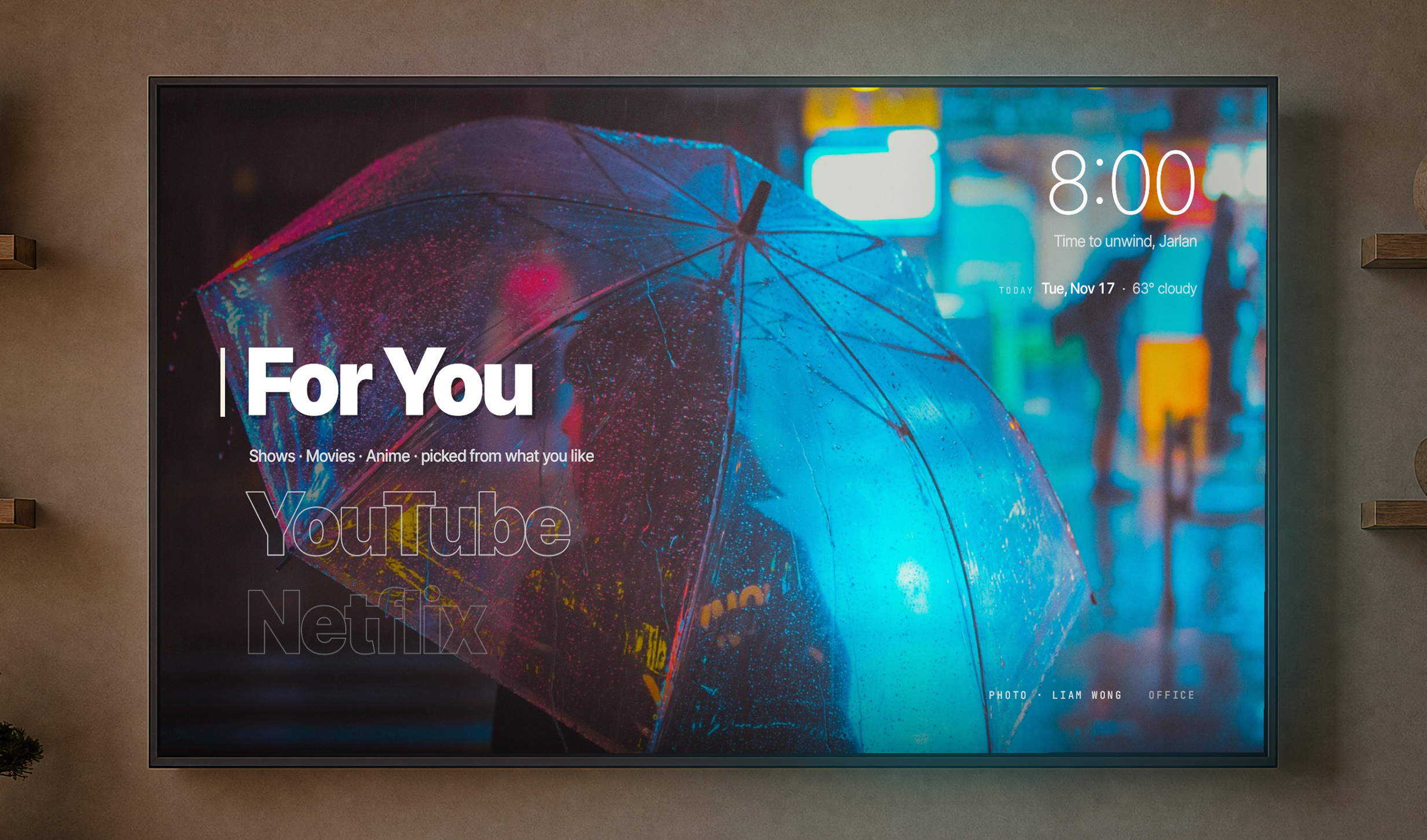
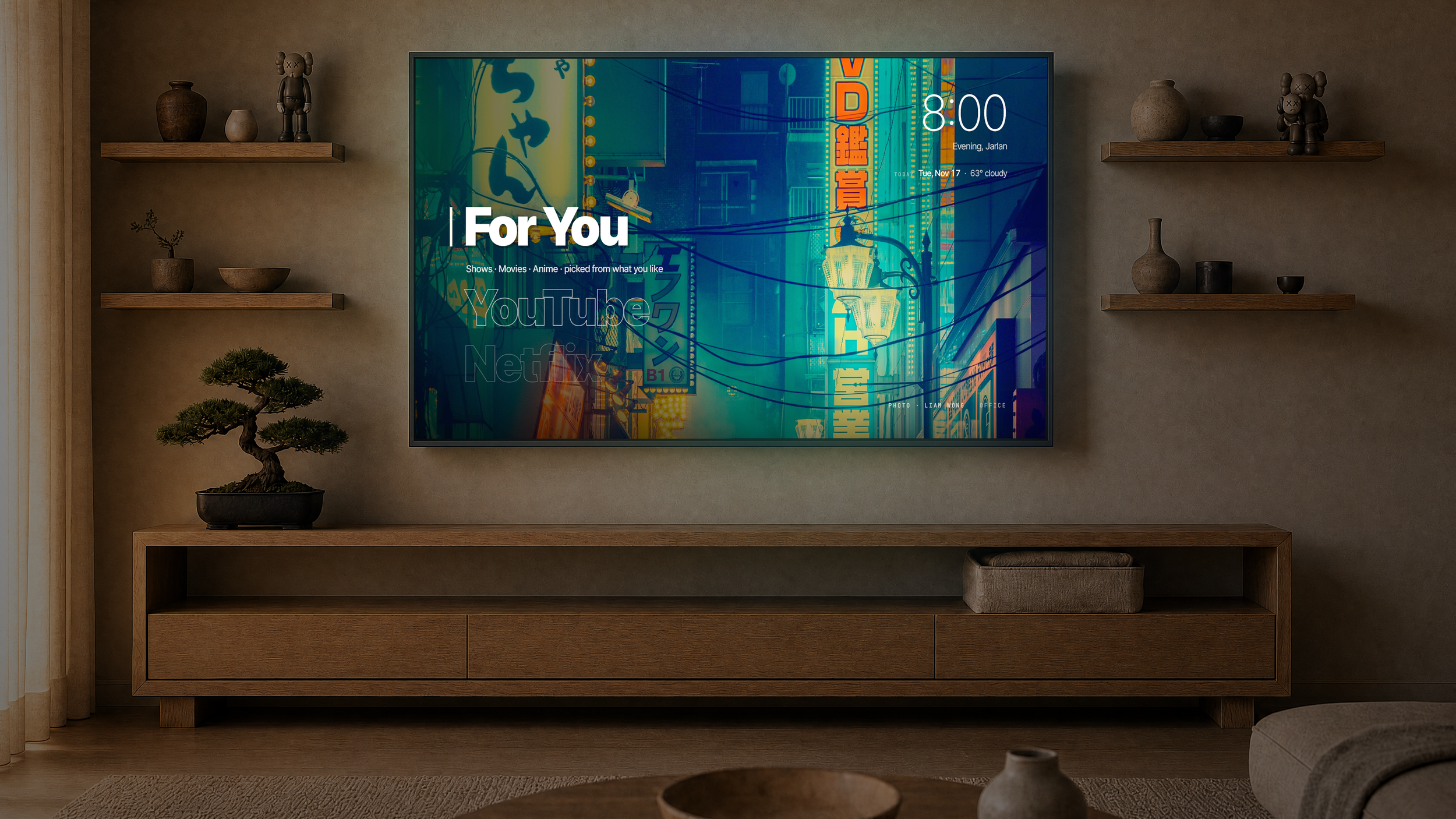
Press Home on the remote and there are no rows of ads or shows someone paid to put there. There's a short list of names in large type, a greeting, and a photo or a piece of art I chose behind it.
Each experiment below is one question: what was built, how the platform pushed back, and what was kept.
Type as the interface
- Question
What does a TV home screen look like if nothing on it is there to sell something?
- Built
A layout I set out piece by piece, starting from my Figma frames: one list of names on the left in large type, the focused name solid and bold with a bar in the app's color, the names around it drawn as thin outlines that fade with distance, one context line under the focused name, and the clock and a greeting above. No hints on the main screen. The typeface is a setting with three options, because outlines read differently in each weight.
- Pushback
Big outlined type on a 4K panel is expensive to draw. The first versions redrew every letter every frame and stuttered. The agent pre-drew each name once and moved the finished images, which brought menu frames to about 11 ms, inside the 60 frames per second the TV can show.
- Kept
The list, the outlines, the bold focus and one motion curve for every transition, short and never bouncy. The greeting changes with the time of day, the weekday and the weather. It never says "Good night," because on a TV that reads as a goodbye.
Subtraction
- Question
What from the stock experience actually earns its place?
- Built
An audit of stock Google TV, item by item. Kept: the sleep timer, quick settings and the smart home panel. Cut: ads, store rows, free-channel filler and the assistant tab. Everything else moved into two items at the bottom of the list, Apps and Settings, organized by what you're trying to do.
- Pushback
A third-party home screen can't read other apps' Continue Watching. An early build faked it with a Resume button that reopened the last app. It was worse than nothing and came out in the next version. The audit also found YouTube holding the microphone open in the background, so the agent closed it.
- Kept
A home screen with nothing promoted on it. Removal kept going after launch: a Resume button, a "Good night" greeting, two of three animated themes and a Spotify tile in Kids all shipped and were later taken out, because nobody used them or something else already did the job.
The screen as part of the space
- Question
What should a TV do when nobody is watching it?
- Built
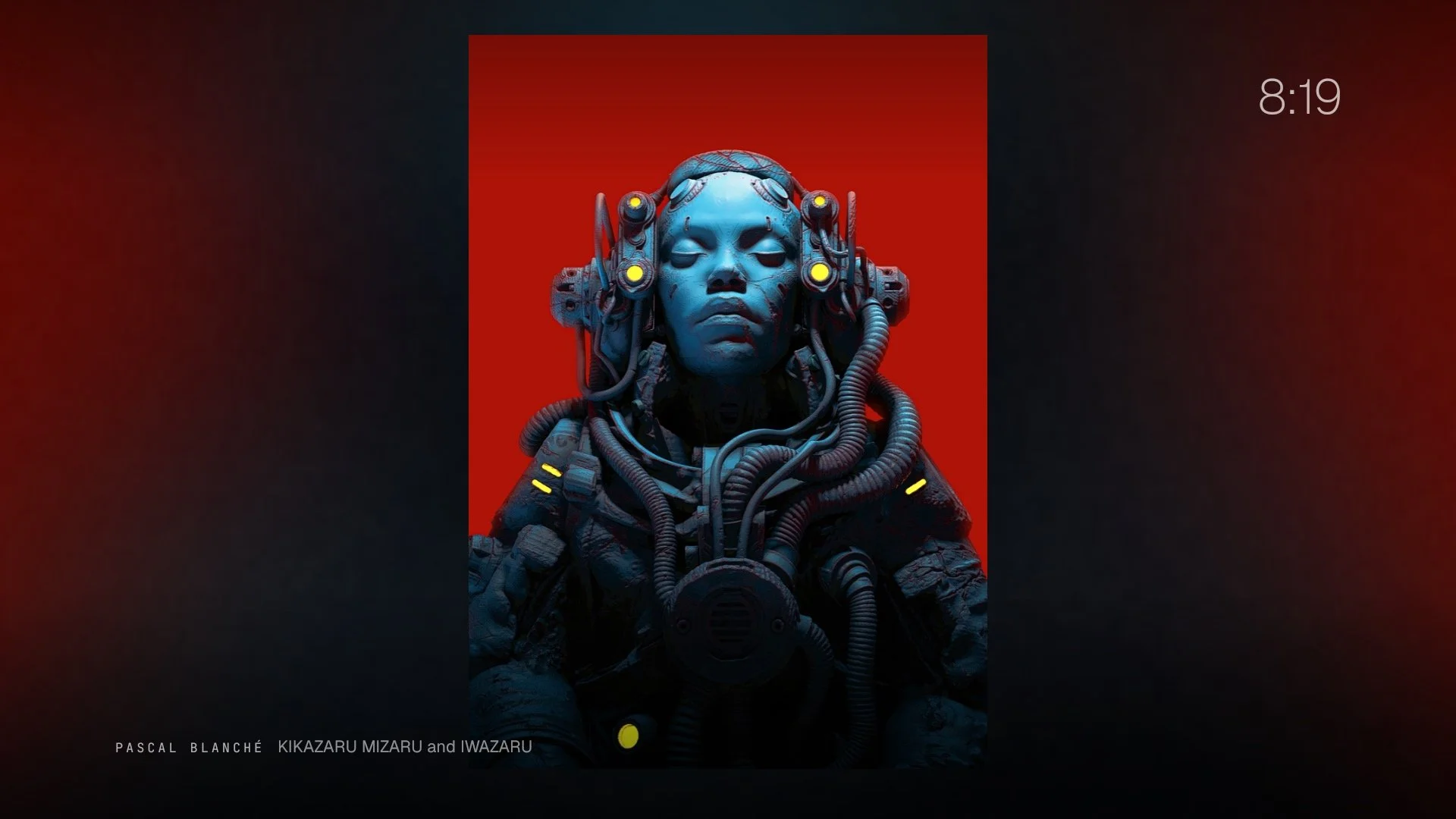
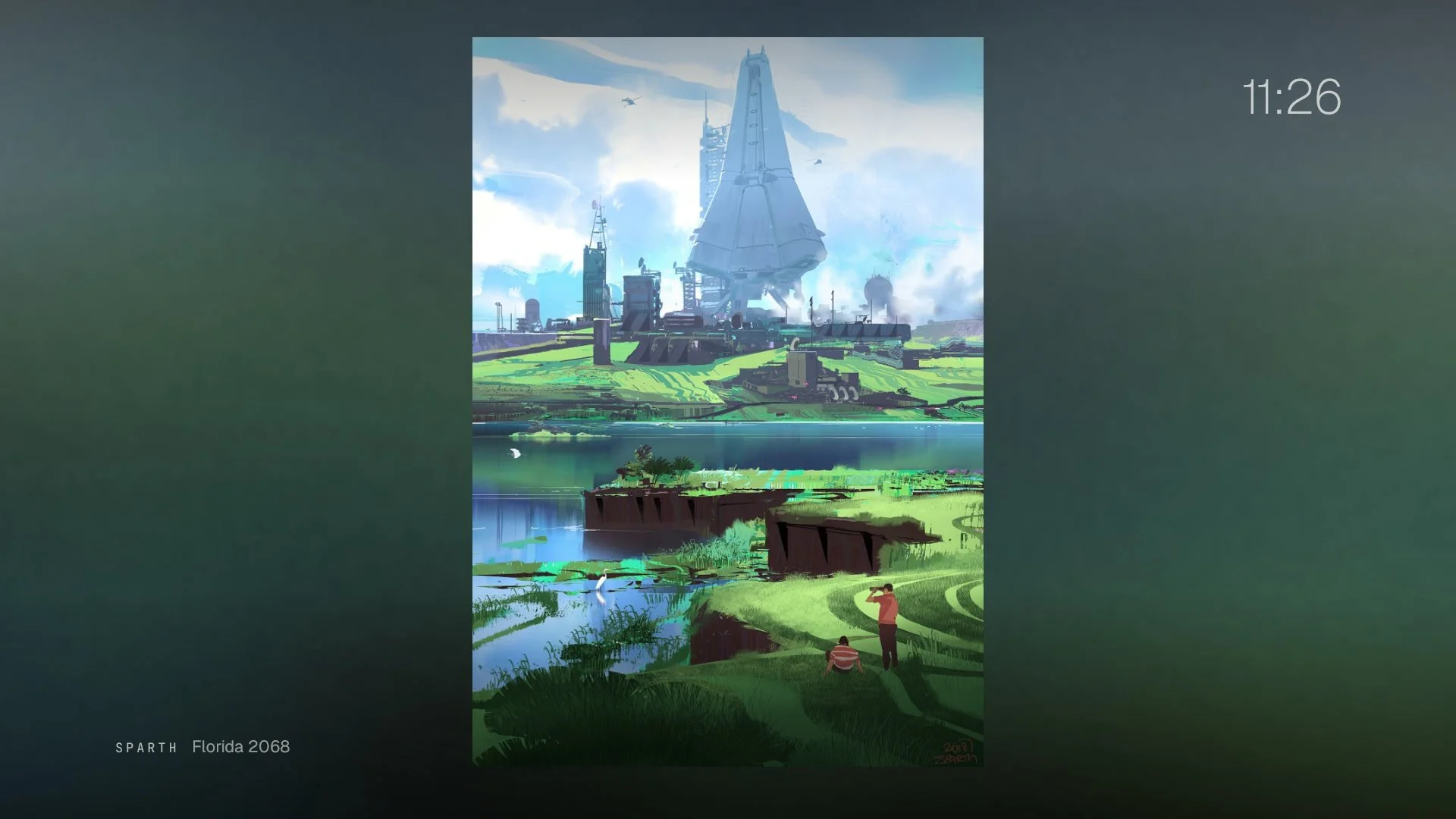
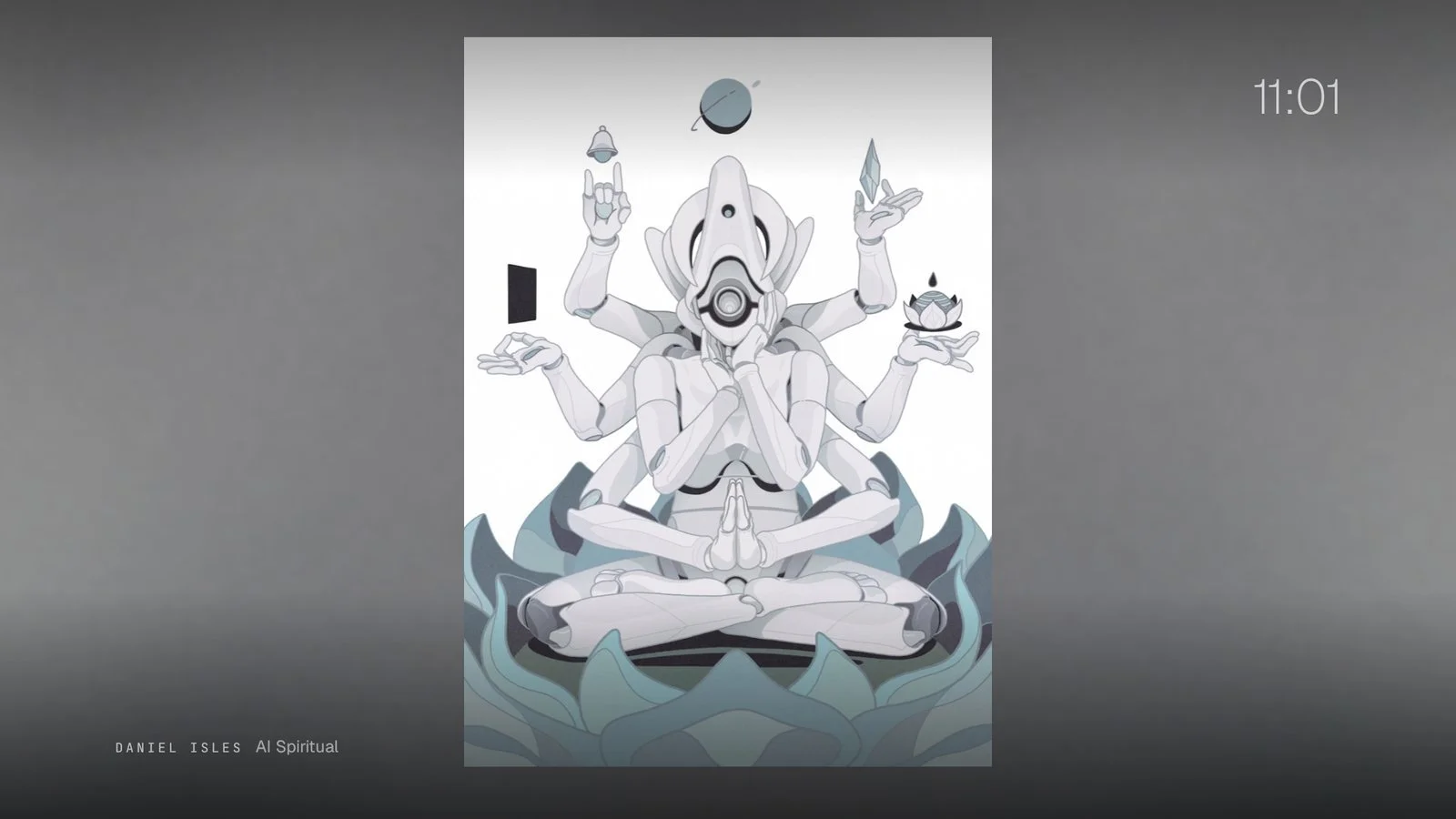
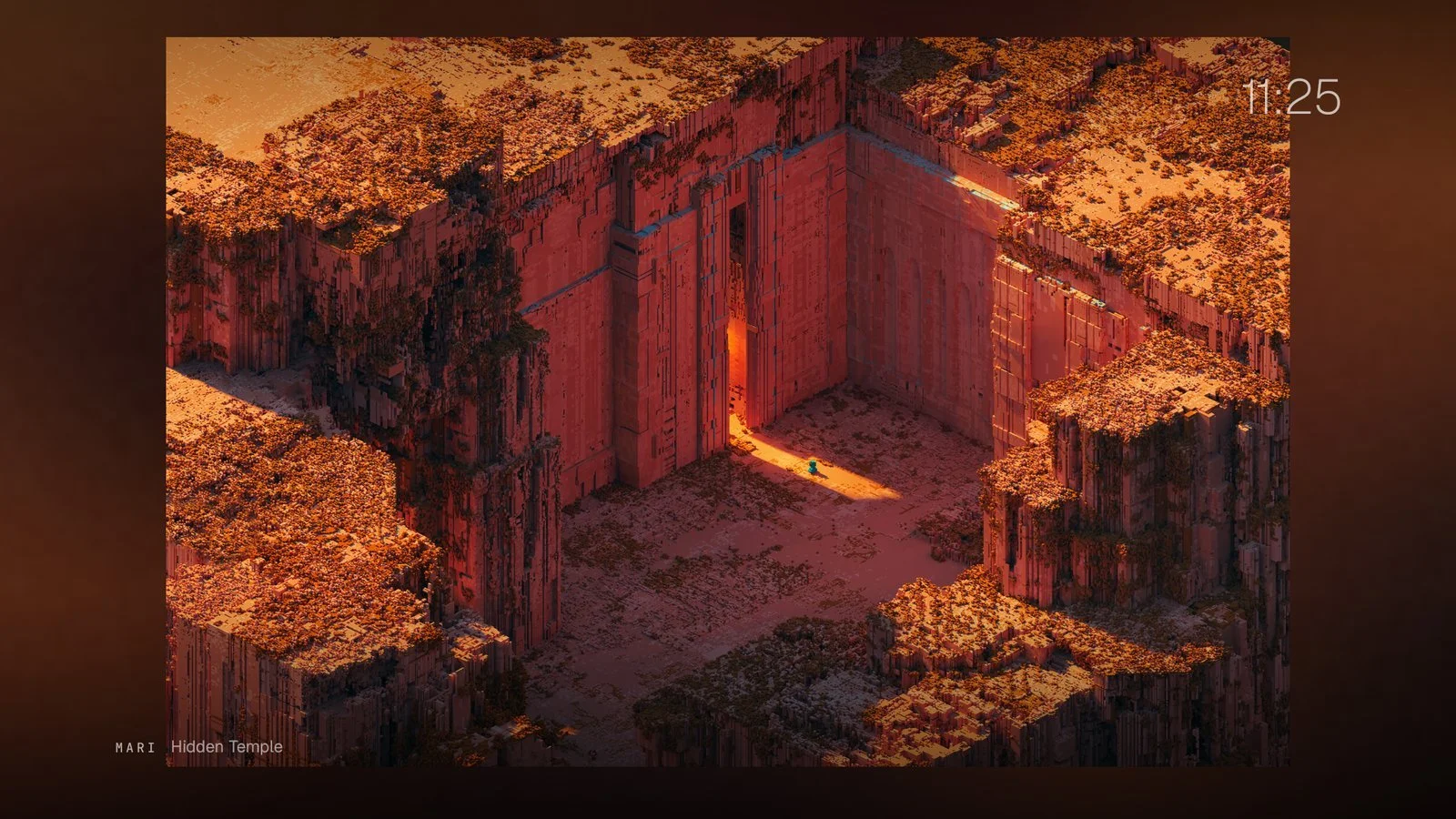
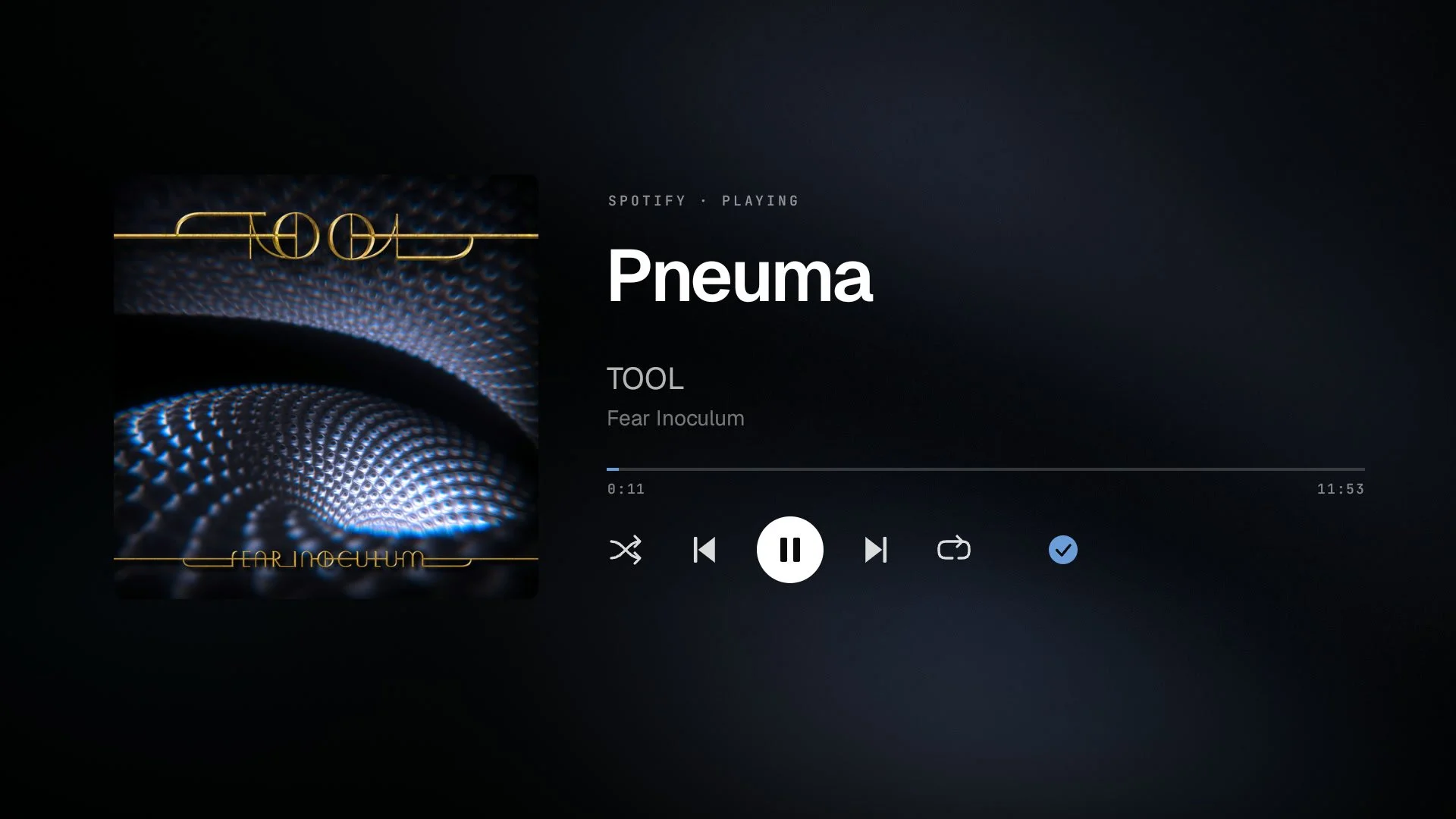
I work from a home office with the TV on the wall all day, usually with music on. I wanted it to hold art. Ambient mode rotates work from artists I picked, among them Liam Wong, Pascal Blanché, Sparth, Mari K., and Daniel Isles, with the artist's name always on screen. Photo themes for the home screen, each with a picker that previews the theme behind the cards. When music plays, a full-screen player with the album art over a soft blur of itself.
- Pushback
Most of the art I love is portrait, and a TV is landscape. Stretching it looked wrong, and the first blurred backdrop, built from a tiny thumbnail, looked blocky. A larger blur with faint grain fixed it. Music had its own problem: the TV's sleep timeout fired in the middle of songs. It now pauses while something plays.
- Kept
All of it. The office TV spends most of the day as a slow gallery with a soundtrack. The credits stay visible because the work belongs to the people who made it.
Motion
- Question
Can the background move without making the TV feel slower?
- Built
Three attempts. A 2 GB video pack, rejected on paper. A 116 MB 4K video loop, built and measured. Then line art drawn in code at the TV's native 3840 by 2160, a few kilobytes each.
- Pushback
Menus took about 18 ms a frame over video against 15 ms over photos, so the video cost more than it gave. The graphics chip drew thick lines at 5 to 17 frames per second; one-pixel hairlines held 60 and looked sharper. A later pass added soft color gradients. I called them "too choppy and lower res," and they came out.
- Kept
One drawn theme, Constellation, at 60 frames per second and about 10 ms per menu frame. Pressing the arrows spins and tilts it. Still images stayed the default.
A view of the house
- Question
Can the biggest screen in the house show how the house is doing?
- Built
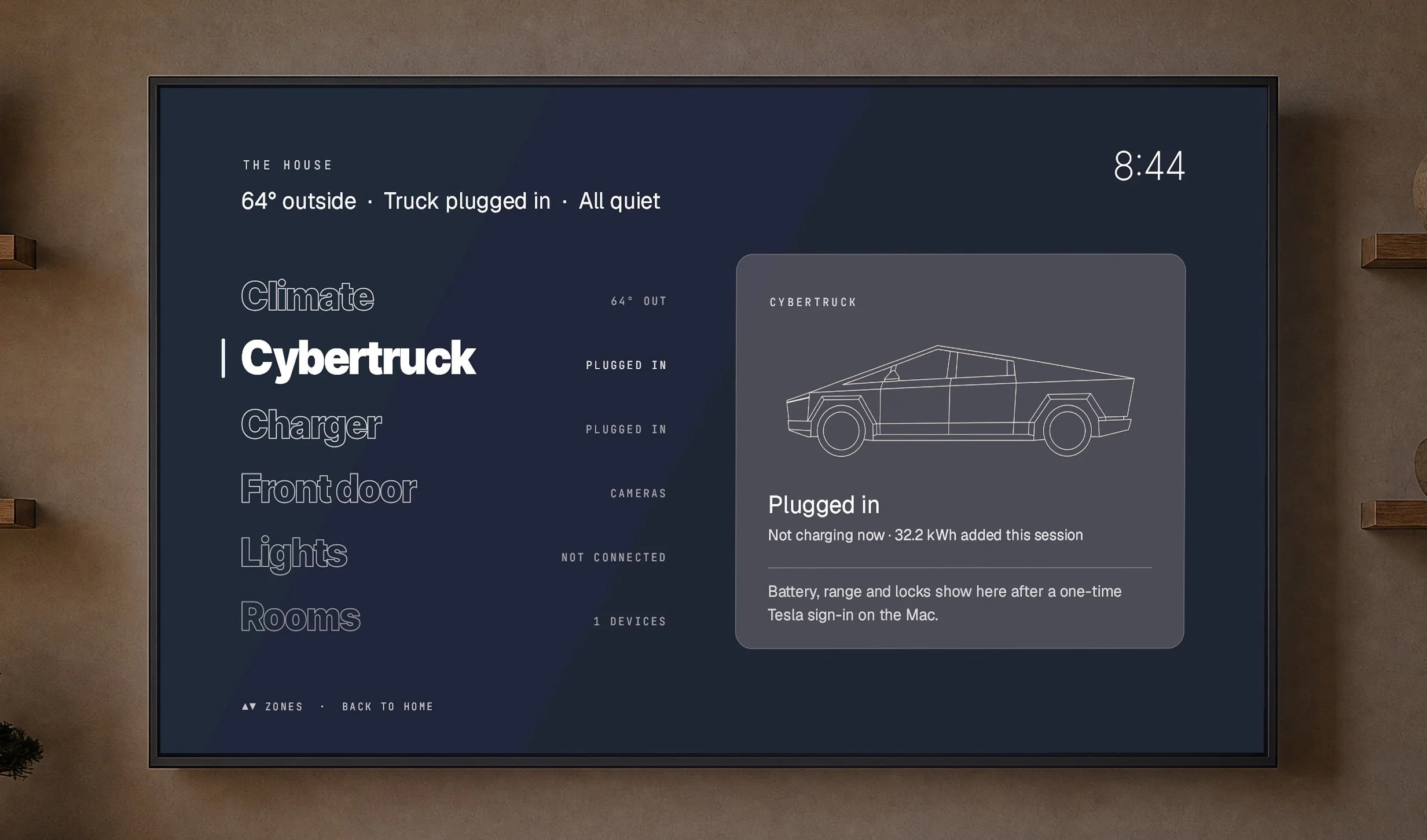
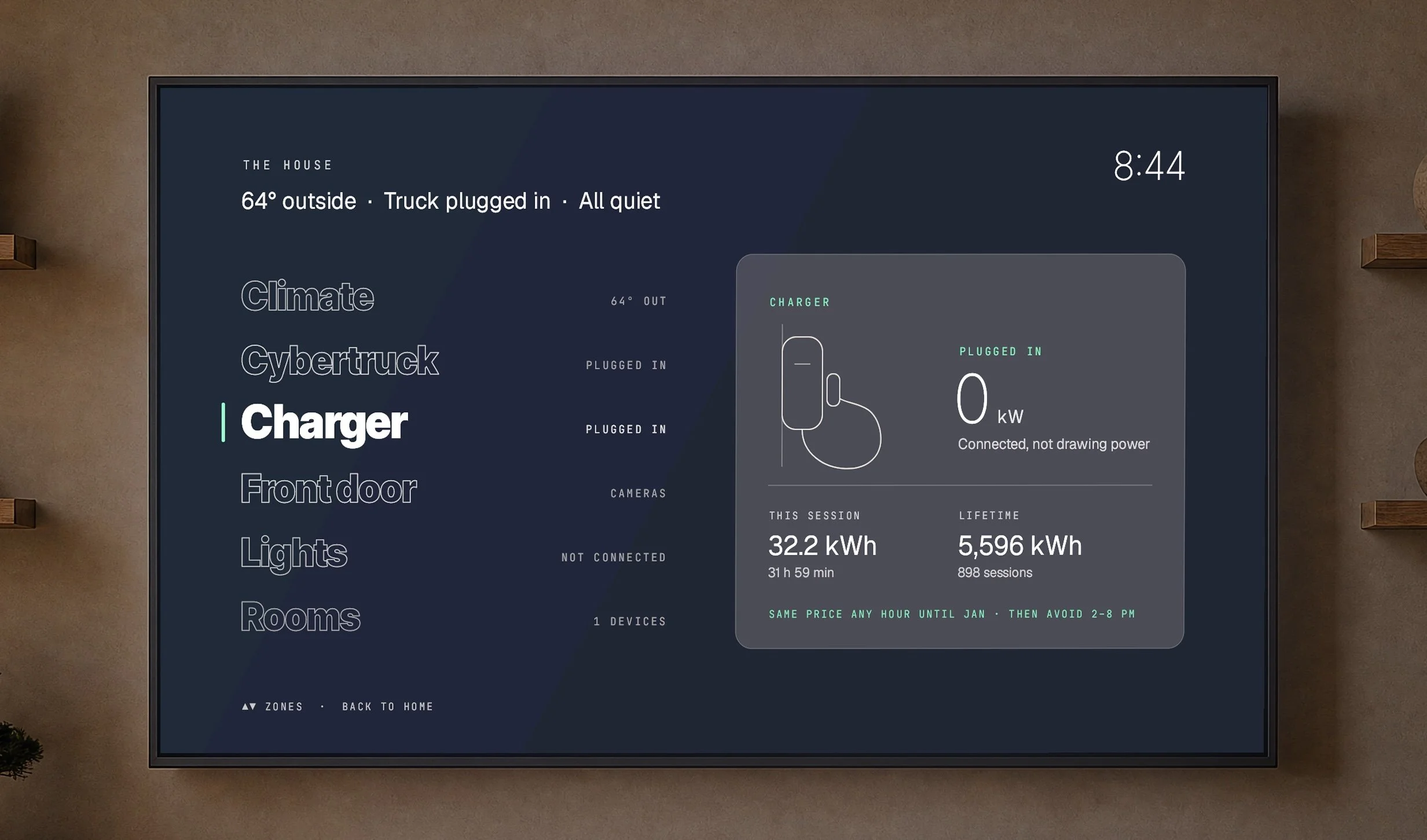
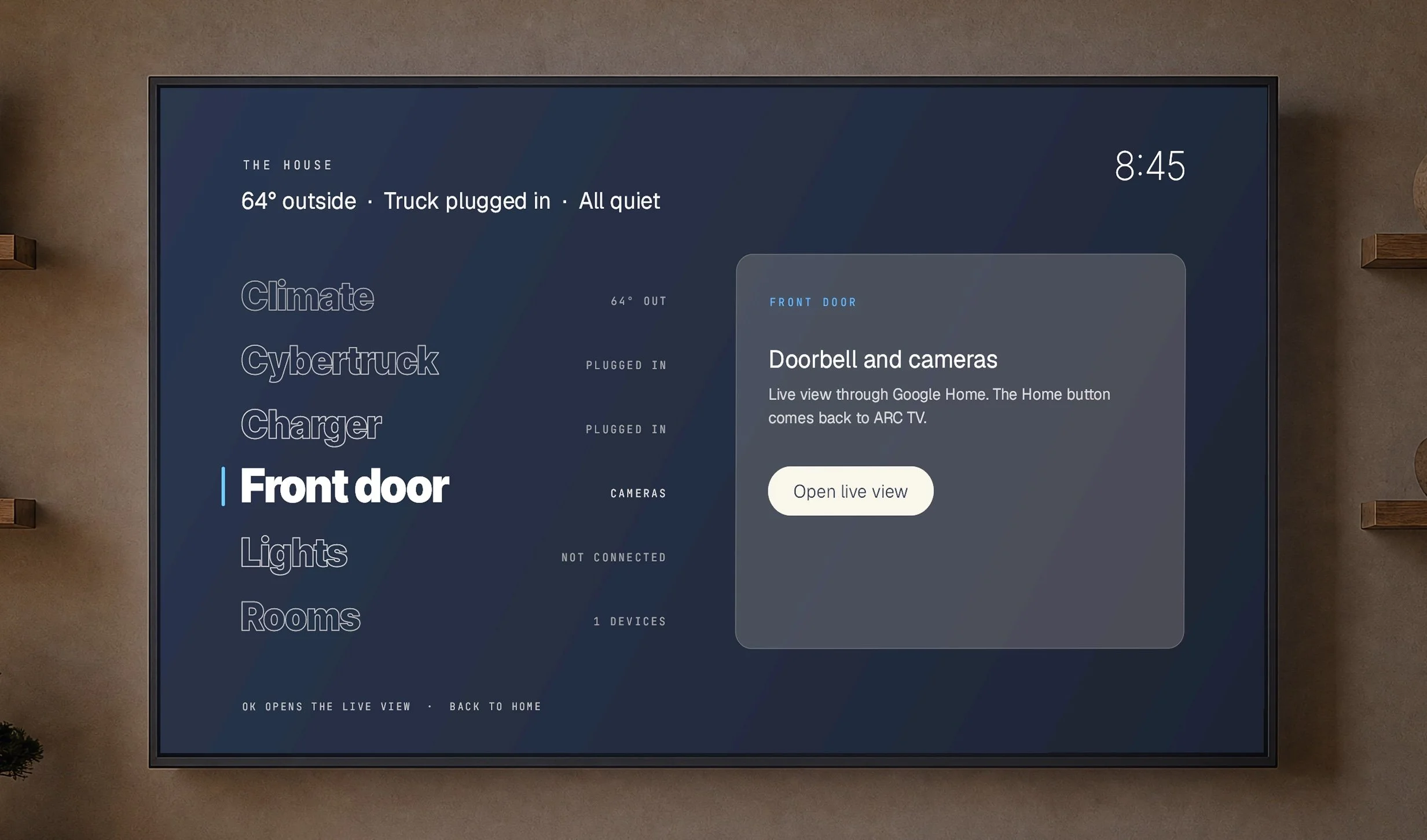
An Automation screen with a bird's-eye view: climate, the front door, the lights, which rooms are playing something, and the car charger with the cheapest time to charge. The light strip behind the office TV follows the picture and switches between the PS5 and the streamer with the input.
- Pushback
Every device speaks a different service, and none were built to be read from a TV. Each connection was made one device at a time, with keys kept on the Mac rather than on the TV.
- Kept
The view, as one item on the home screen. It's the least finished experiment and the one with the most room left.
A second life for hardware
- Question
Can the TV be a game console without adding a console?
- Built
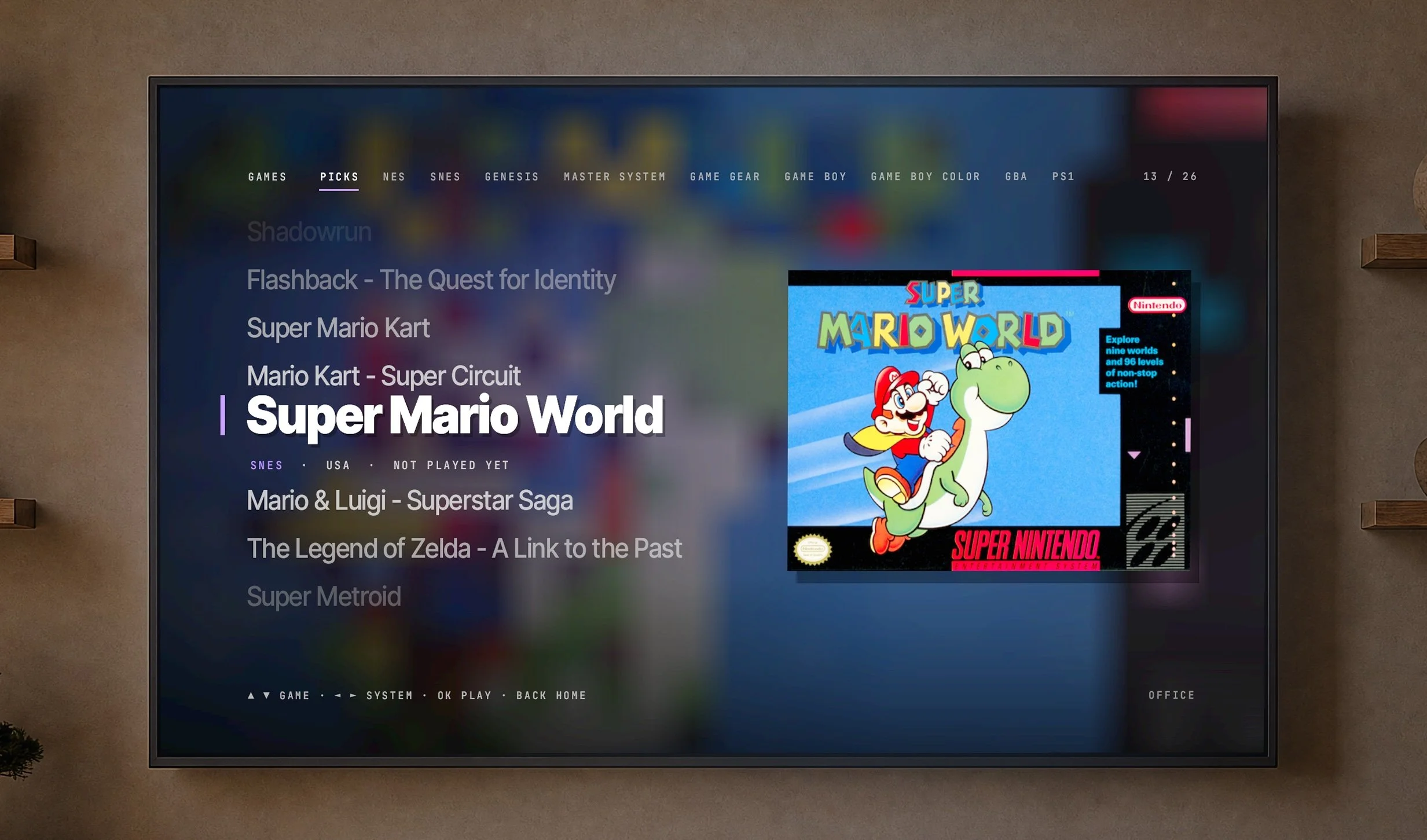
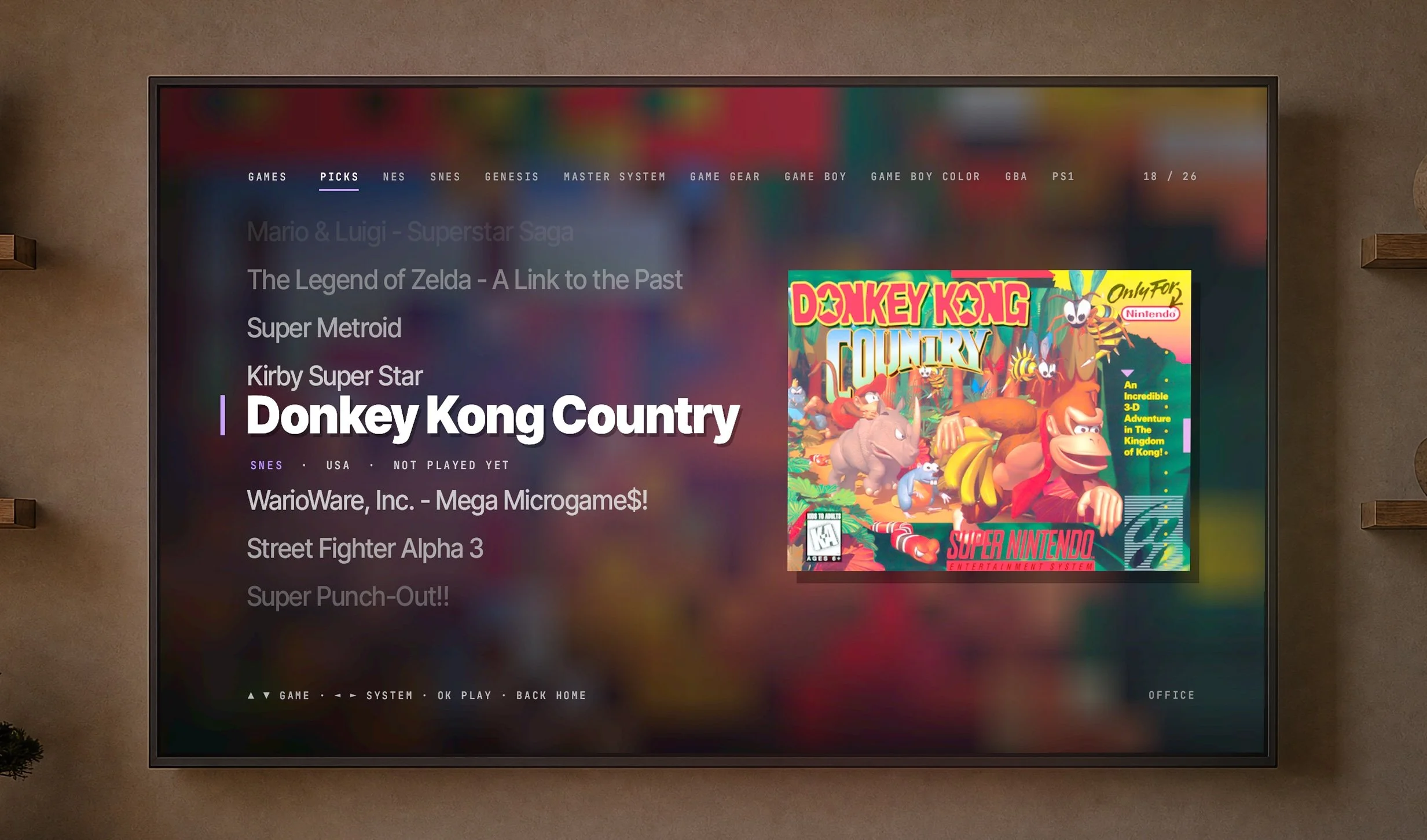
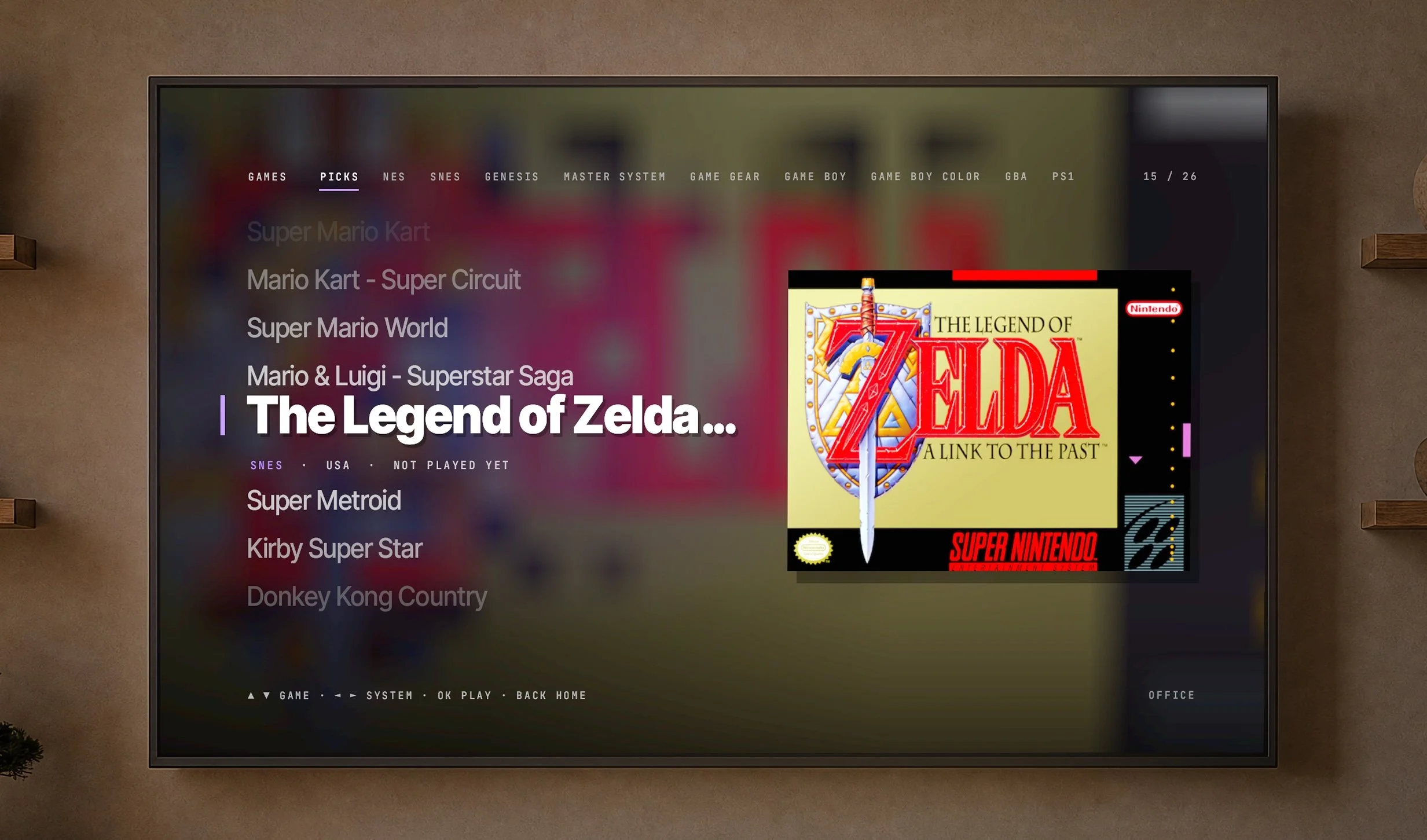
A Games section with 1,251 retro titles up to the PlayStation era, box art for about 1,090 of them, Recent and Picks tabs and quiet interface sounds. The controllers are Google Stadia controllers. Stadia was shut down, and the controllers would have been e-waste.
- Pushback
A Stadia controller only talks to Stadia until it's switched into Bluetooth mode. The agent found the procedure, and we ran it with each controller plugged into the Mac by cable.
- Kept
The library, the controllers and the sounds. Entertainment made from things already in the house.
Kids mode
- Question
Can the same home screen become a safe, calm place for a toddler without becoming a different product?
- Built
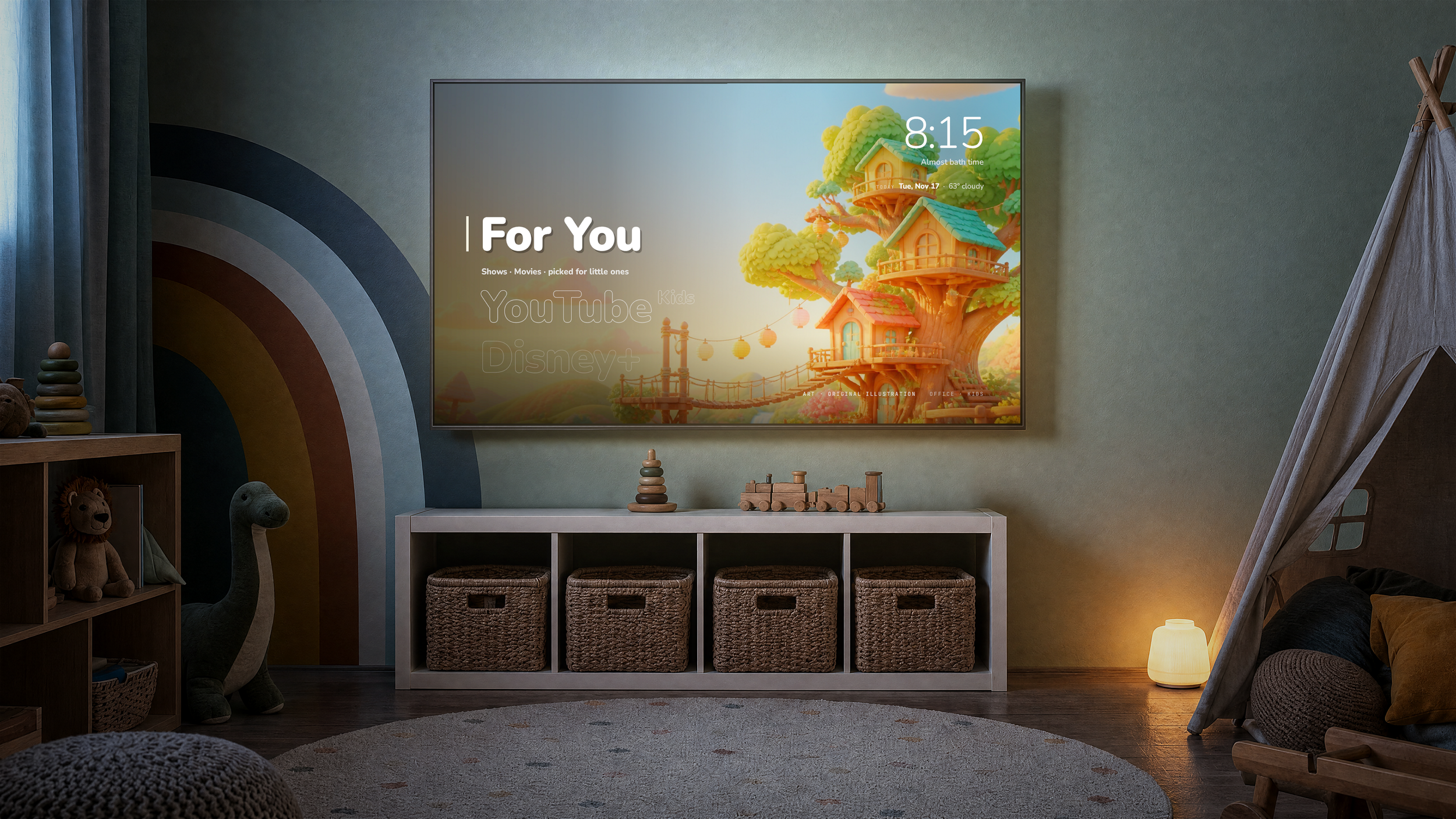
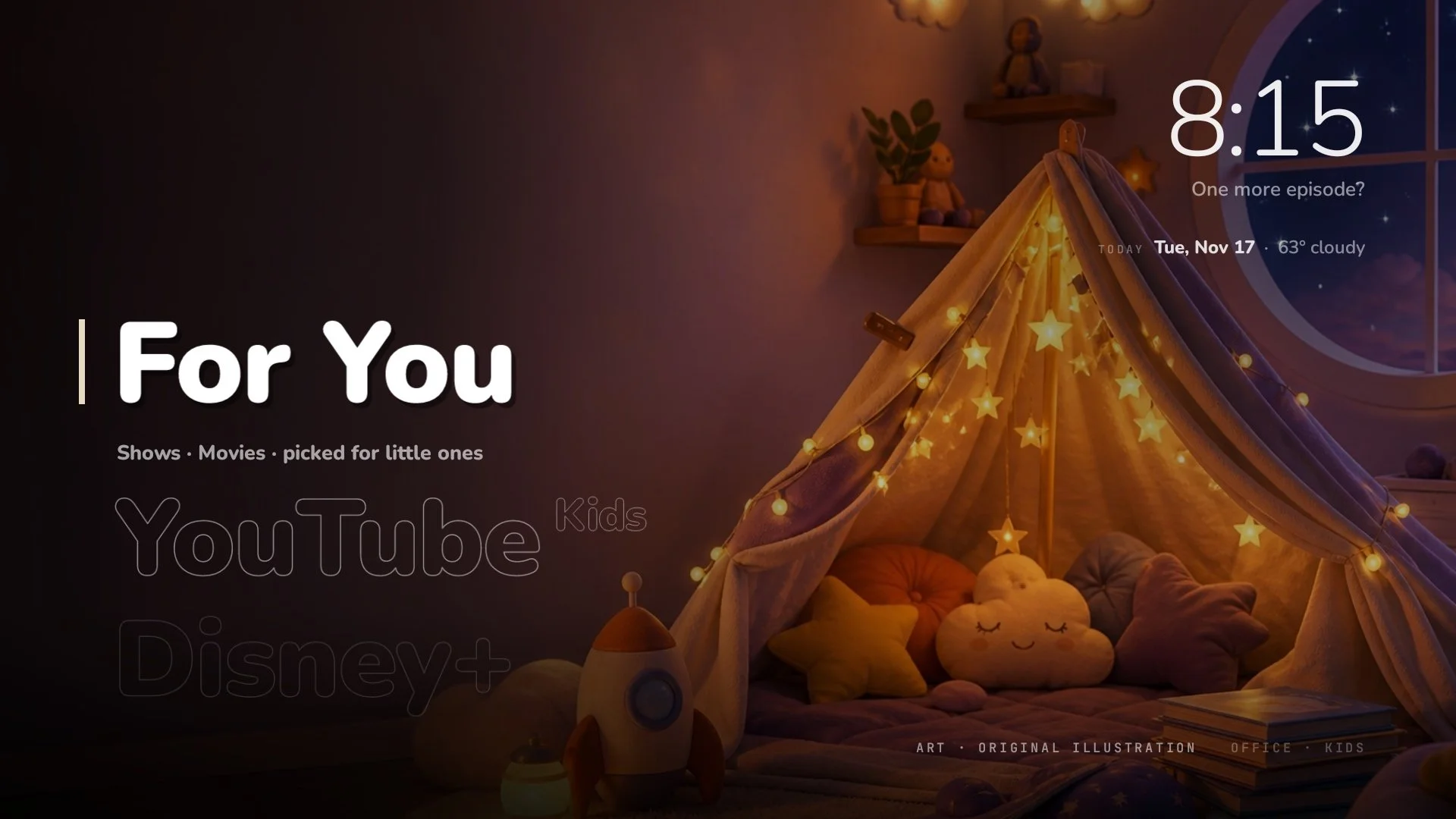
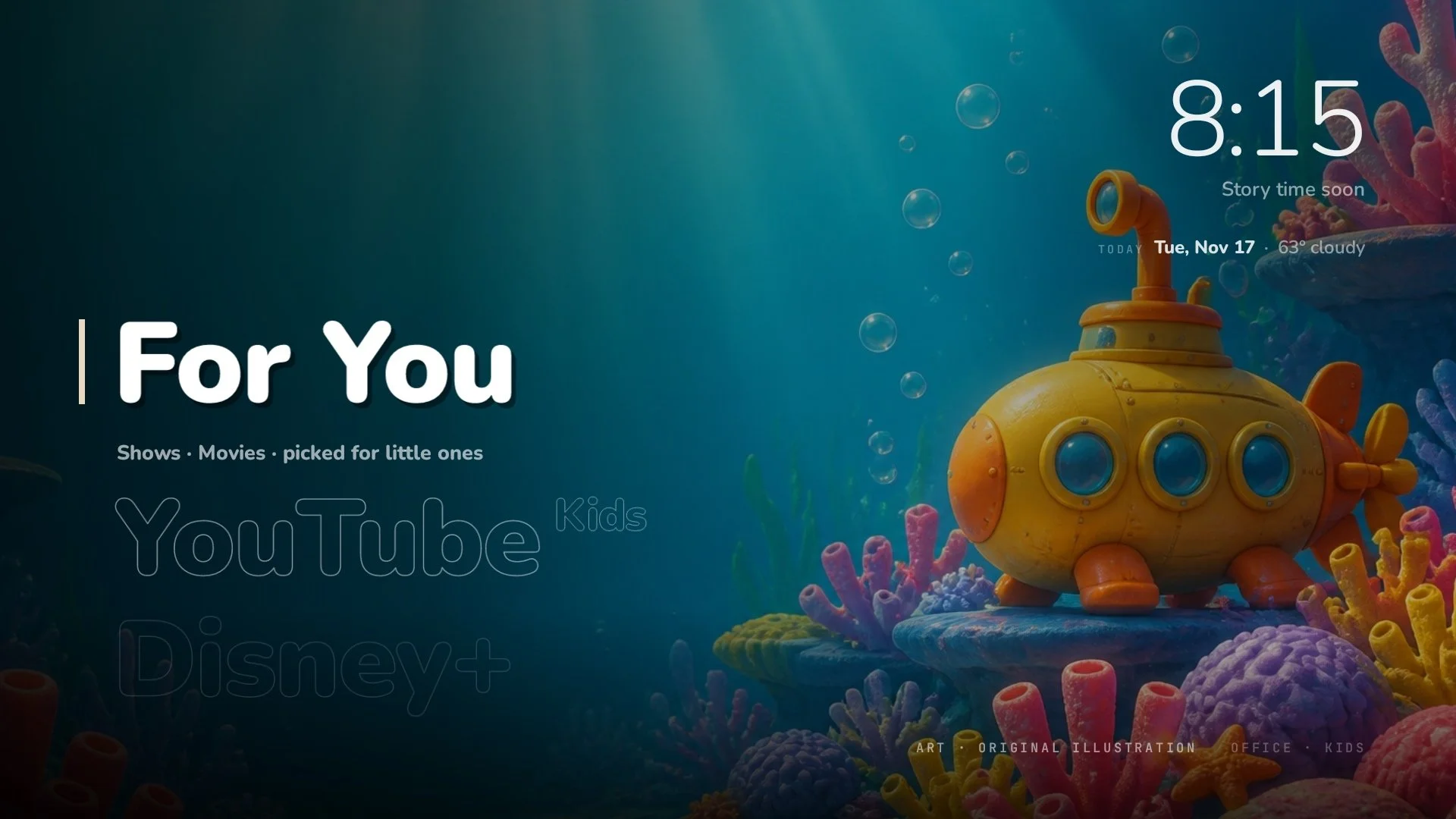
The TV is the biggest screen my son can reach on his own, and the stock home screen puts every app and every promoted show in front of him. I wanted the home screen itself to be the safe part, not each app separately. Kids mode is a switch in Settings that changes the whole screen: a rounder typeface, greetings with no name in them, a theme of original illustrations (a treehouse, a reef, a blanket fort), only kid apps, and a row of shows picked for little ones. Games, the app list, the house view and anything playing in the background disappear. Settings shrinks to four rows.
The rule I set was simple. An app appears in Kids only if it has its own kids profile. And leaving Kids takes a hold of the OK button, not a press, so a toddler mashing the remote stays where he is.
- Pushback
This is where the platform pushed hardest.
- Picking a show opened the app's front page instead of the show. The agent found link formats that land on the show itself and checked them one by one on the TV. Eleven of thirteen picks now open to the show.
- The YouTube Kids app is no longer offered on these TVs. Regular YouTube can hold a kids profile, but a child can switch out of it. The agent built a guard: if YouTube shows a grown-up profile while Kids is on, ARC TV switches it back or leaves the app.
- No app tells another whether it has a kids profile, so ARC TV can't detect it. A parent confirms each app instead, and the app only appears after that.
- Kept
The mode, the hold-to-leave, the illustrations, the show links, the guard and the confirmation rule. It works in our house because we set it up together. A public version needs a setup a parent can finish alone.
Bedtime
- Question
Can the TV help put a child to sleep, then turn itself off?
- Built
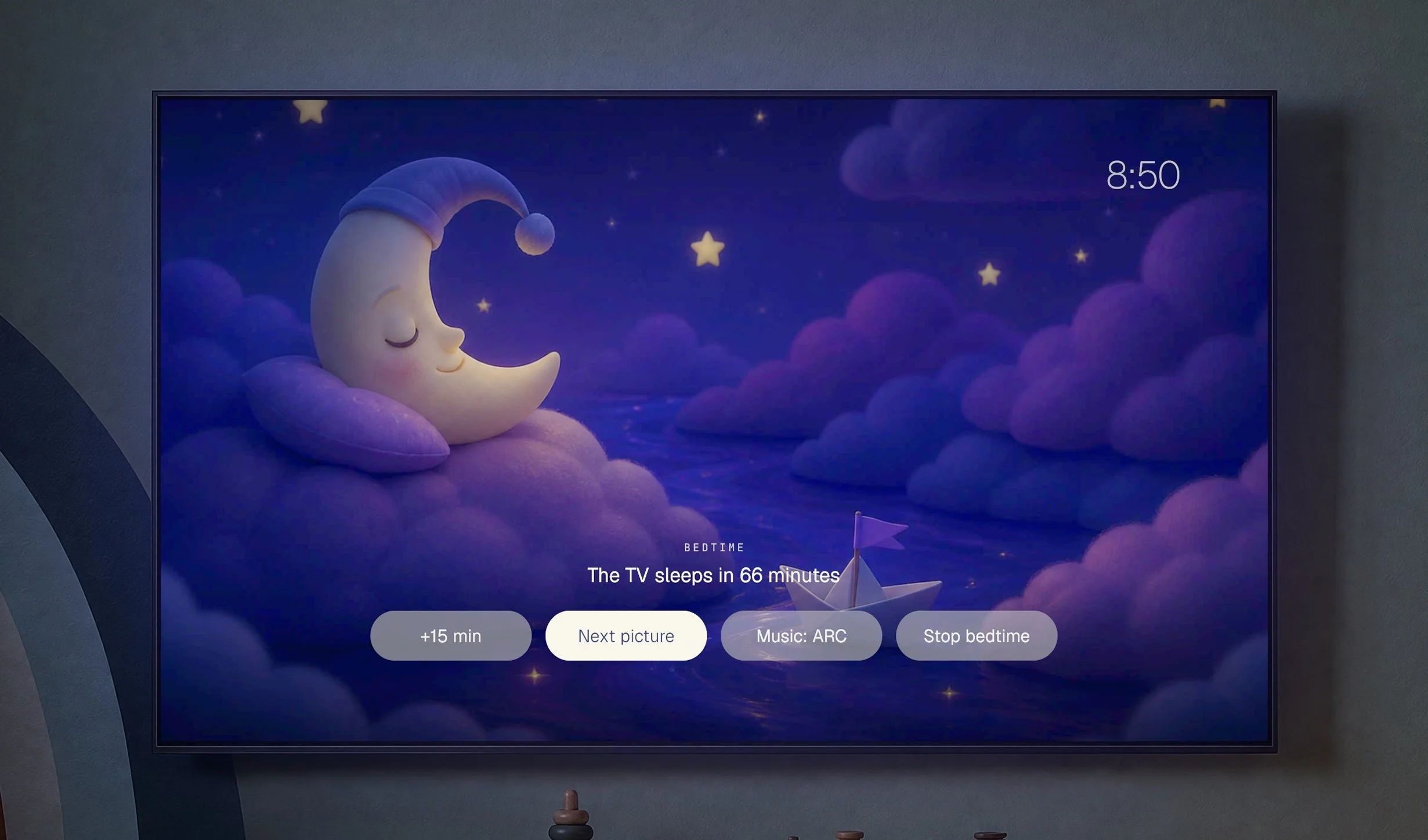
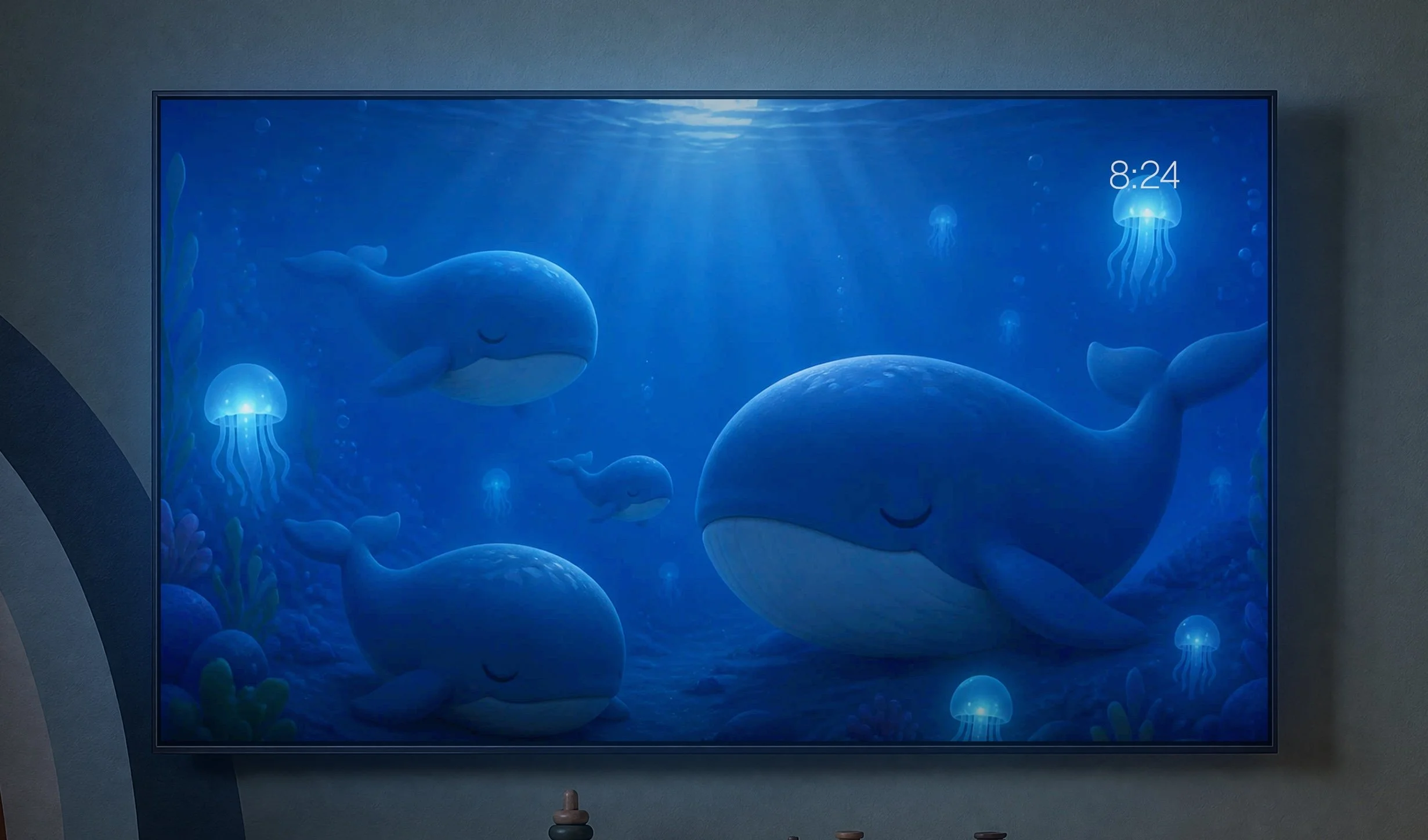
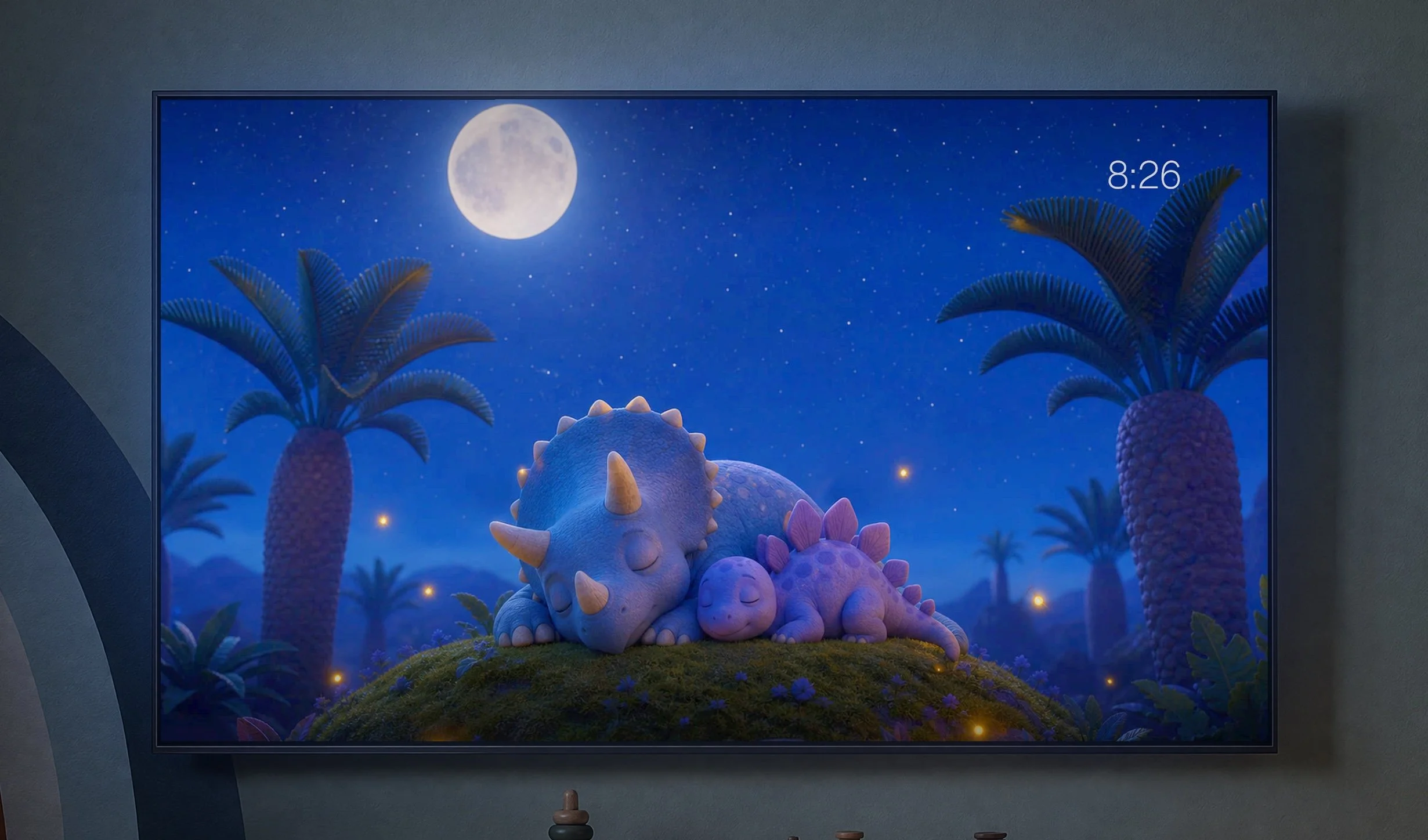
Bedtime was the feature I wanted most for my son. It's an item in Kids mode, started only when a parent picks it, never on a schedule. Calm night illustrations of sleepy animals change every two minutes: whales, a fox, bunnies, a family of dinosaurs under a blanket. The screen darkens a little each minute. Lullabies play, the music fades over the last five minutes, and after 45 minutes the TV sleeps. Pressing OK opens a small panel: +15 min, Next picture, Music and Stop bedtime.
My son loves it. He falls asleep to the animals and the lullabies, and he asks for more pictures, so new sets get added.
- Pushback
Four rounds of it.
- The first version played lullabies through Spotify, and Spotify's own screen flashed up before the pictures. The agent started playback in the background so the pictures come first.
- Spotify plays on one device per account, so Bedtime in one room would stop the music everywhere else. Google's speakers solve this with their own built-in lullabies, and ARC TV now does the same. The agent wrote out five public-domain melodies note by note, among them Brahms' Lullaby and Twinkle Twinkle, and synthesized them as a music box and a soft guitar. 7.4 MB, built in, no account, no internet. Spotify stays as an option in the panel.
- Pressing Stop ended Bedtime and immediately started it again. Stop closed Bedtime on the press, so the release landed on the home screen, where Bedtime was still selected. The home screen now ignores a release unless the press happened there too.
- The agent made the lullabies without ever hearing them. The listening test was mine.
- Kept
Bedtime with its own lullabies, the four-button panel, the slow dimming and pictures in a random order.
Interaction lessons
- Design for the couch.
Large names, one context line and a greeting are readable across the room. Anything that needs leaning in doesn't belong on the main screen.
- Subtract before you add.
Most of the work was taking things away. Every feature removed after launch stayed removed.
- Don't fake what the platform blocks.
A Resume button that only reopened the last app was worse than no button. Say it can't be done and leave the space empty.
- Make leaving harder than staying.
In Kids, entering is a press and leaving is a hold. The safe state is the easy one to stay in.
- Gate by trust when you can't detect.
ARC TV can't tell whether an app is safe for a child, so a parent confirms it once. A clear rule beats a guess.
- Shared things belong to the house.
One Spotify stream per account meant Bedtime couldn't take it from the rest of the house, so it brought its own music.
- Wind down, don't cut off.
Bedtime dims a little each minute and fades the music before the TV sleeps. Nothing switches off suddenly in a room where someone is falling asleep.
- A press and its release belong to the same screen.
Acting on a release that started somewhere else relaunched Bedtime the moment it was stopped.
Where it is now
ARC TV runs on multiple TVs in our house every day. Six days and 36 builds got it there, and most of the work since has been taking things out.
Two parts aren't done. The view of the house is the least finished experiment. Kids mode works here because we set it up together, and a version for other families needs a setup a parent can finish alone.
The rest stays as it is. Press Home and nothing on the screen is for sale. During the day the office TV holds art by people whose work I love. At night it puts my son to sleep, then turns itself off.